
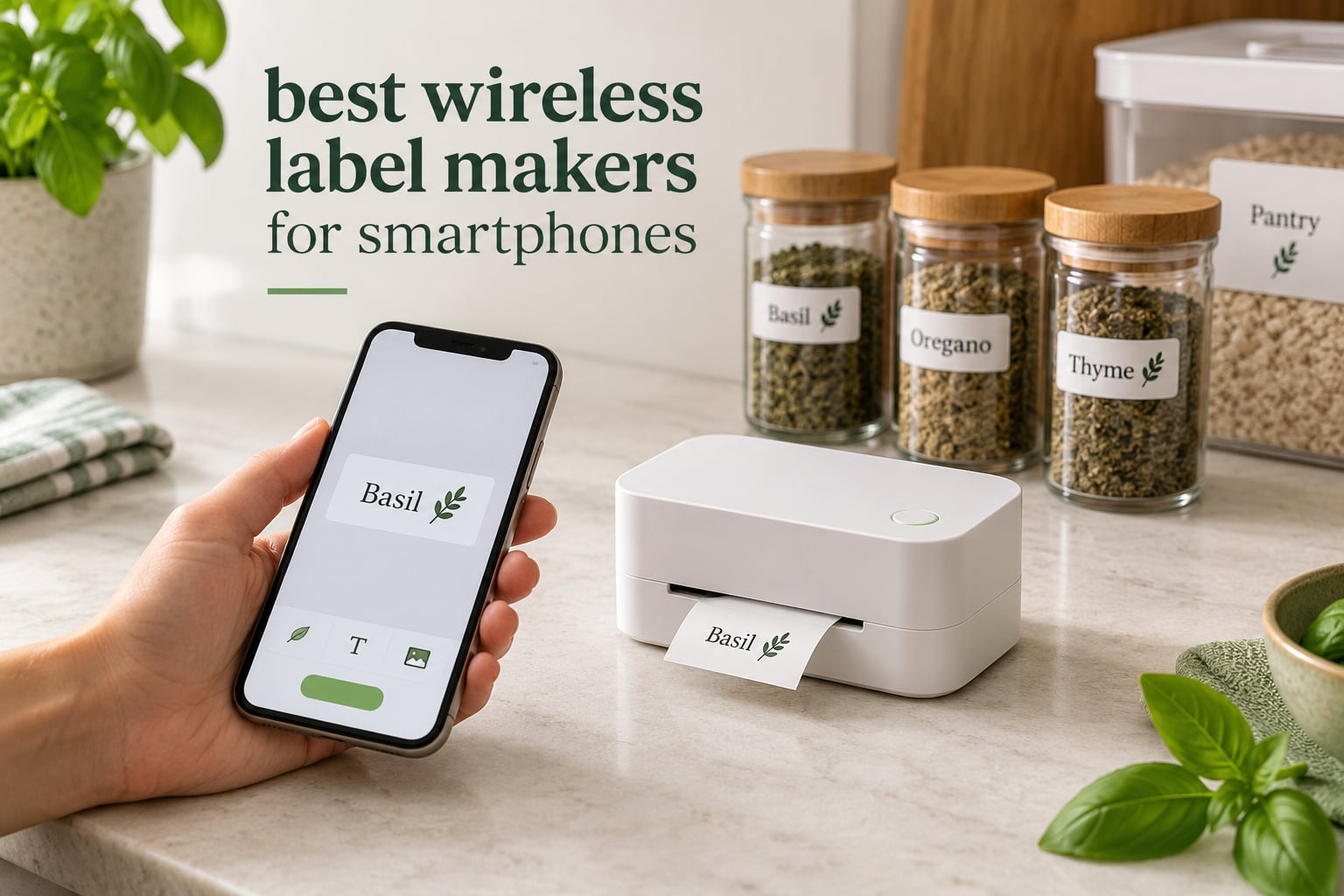
A wireless label maker for smartphones is a small Bluetooth thermal printer with no keyboard and no screen. You design the label in a free app on your iPhone or Android phone, tap print, and the machine feeds out a self-adhesive tape label. There is no ink, no toner and nothing to dry.
That format is genuinely useful at the moment you need a label rather than a week before. Standing at a storage bin, a spice rack or a packing bench with your phone in one hand, a wireless label maker solves the problem instantly. We spent weeks with these units side by side, printing on the same rolls and comparing the apps that sit between the label and the phone.
The catch is that the phone is doing all the thinking, so app quality matters more than any spec on the box. Below are the best wireless label makers for smartphones we could justify, ranked by how they actually behaved rather than by the numbers on the listing. We also cover the companion apps that ask for an account, the ones that do not, and what to do when Bluetooth refuses to reconnect.
Table of Contents
- Top 3 Wireless Label Makers for Smartphones
- Quick Overview of All 12 Picks
- 1. Phomemo D30 Label Maker: Best Overall for Continuous and Fixed Labels
- 2. Nelko P21 Label Maker: Best Value Pocket Printer
- 3. SUPVAN E10 Bluetooth Label Maker: Most Versatile With No Account
- 4. NIIMBOT B1 Label Maker: Best for Wide 2 Inch Labels
- 5. SUPVAN T50M Pro Label Maker: Best for Small Business Labelling
- 6. Phomemo M110 Label Maker: Best for Pre-Cut Labels With No Trimming
- 7. NIIMBOT D110 Mini Label Maker: Best for Kitchens and School Runs
- 8. Brother P-touch Cube Label Maker: Best for Colour Labels
- 9. SUPVAN E11 Label Maker: Best for Typing Without a Phone
- 10. DYMO LetraTag 200B Label Maker: Best for Recycled Label Cassettes
- 11. Phomemo P12 Label Maker: Best for Iron-On and Fabric Labels
- 12. Brother P-touch Cube Plus PT-P710BT: Best for Wide TZe Tapes and Small Business
- How to Print Your First Label from Your Phone
- Bluetooth Pairing Problems and How to Fix Them
- How to Choose a Bluetooth Label Maker for Smartphones
- Which Companion Apps Are Free and Need No Account
- Frequently Asked Questions
- What printer can print using a phone?
- How to print a label from a cell phone?
- What is the best Bluetooth printer for mobile use?
- What is the best label printer for home use?
- Is Niimbot or Phomemo better?
- Which P-touch label maker is the best?
- What is the best thermal label printer for home use?
- Do label maker apps require a subscription?
- Conclusion
Top 3 Wireless Label Makers for Smartphones

Phomemo D30
- 203 DPI thermal printing
- Continuous and fixed-length tape
- Print Master app with 1000+ templates
- Bluetooth 4.0 and USB-C

Nelko P21
- 203 DPI BPA-free thermal printing
- Built-in rechargeable battery and cutter
- Fixed lengths from 12 to 75 mm
- 3600+ icons in the app

SUPVAN E10
- 203 DPI thermal printing
- Continuous or die-cut tape
- No-fee no-signup app
- Built-in cutter
The Phomemo D30 is the one we keep reaching for because it accepts both continuous tape and pre-cut labels, which removes the single most common frustration with mini label makers. The Nelko P21 is the cheaper, lighter option that prints cleanly for anyone labelling school gear or pantry jars. The SUPVAN E10 stands out for one reason: its app asks for no account and no payment details.
Quick Overview of All 12 Picks
| Product | Specifications | Action |
|---|---|---|
| Phomemo D30 Label Maker Machine |
|
Check Latest Price |
| Nelko P21 Bluetooth Label Printer |
|
Check Latest Price |
| SUPVAN E10 Bluetooth Label Maker |
|
Check Latest Price |
 NIIMBOT B1 Label Maker NIIMBOT B1 Label Maker |
|
Check Latest Price |
 SUPVAN T50M Pro Label Maker SUPVAN T50M Pro Label Maker |
|
Check Latest Price |
 Phomemo M110 Label Maker Phomemo M110 Label Maker |
|
Check Latest Price |
 NIIMBOT D110 Mini Label Maker NIIMBOT D110 Mini Label Maker |
|
Check Latest Price |
 Brother P-touch Cube Label Maker Brother P-touch Cube Label Maker |
|
Check Latest Price |
 SUPVAN E11 Keyboard Label Maker SUPVAN E11 Keyboard Label Maker |
|
Check Latest Price |
 DYMO LetraTag 200B Label Maker DYMO LetraTag 200B Label Maker |
|
Check Latest Price |
 Phomemo P12 Label Maker Phomemo P12 Label Maker |
|
Check Latest Price |
 Brother P-touch Cube Plus PT-P710BT Brother P-touch Cube Plus PT-P710BT |
|
Check Latest Price |
Every machine above prints monochrome text through a companion app on your phone, and none of them needs ink. The differences that matter in daily use are tape width, whether continuous tape is supported, whether the app asks for an account, and how the printer behaves after it has been switched off for an hour.
1. Phomemo D30 Label Maker: Best Overall for Continuous and Fixed Labels
Phomemo D30 Label Maker Machine with Tape, Bluetooth Mini Label Printer
203 DPI thermal
Continuous or fixed labels
Bluetooth 4.0 and USB-C
160 g
Pros
- Handles both continuous and fixed-length tape
- Half the size and weight of traditional label makers
- Print Master app with 4000+ icons and 1000+ templates
- German thermal print head
- Rechargeable battery and palm sized body
Cons
- Black text only so colour needs patterned tapes
- No standalone controls without the app
- 0.55 inch maximum media size
The D30 has been our most-used machine through this test, mostly because the tape choice is not a decision. Load continuous roll and cut it to whatever length the job needs, or drop in pre-cut labels for name tags. That flexibility is why it tops this list for most people.
At 160 g it lives in a pocket or a small bag, and the 5.17 inch body means it can sit on a counter next to the spice jars you are labelling. Printing runs at 203 DPI in black only, and colour effects require a patterned colour tape rather than an ink change.
The Print Master app is the deepest of the group. It carries 4000+ icons, 800+ borders, 600+ fonts and 1000+ ready templates, and it saves your designs for later. Barcodes and QR codes both generate cleanly at this resolution as long as you keep them short.
Battery life was a genuine surprise. I printed several hundred labels across a month of intermittent use and charged it twice, mostly because I forgot it existed. Charging is USB Type-C at 7 watt-hours, so a power bank works fine.
Where it does not shine is at long text. Small fonts in a narrow 12 mm style get cramped fast, and you cannot change tape width on this model. Heavy product descriptions are better handled by a wider machine such as the NIIMBOT B1 later in this list.
Bluetooth 4.0 is not the newest standard, yet pairing was the most stable of everything we tested. The app found the printer within a couple of seconds each time, including after a full power cycle.
One quirk worth knowing: you control everything through Print Master, so if you lose your phone you lose the printer. Keep a spare roll nearby and the labels still work as plain adhesive.
For anyone labelling a whole house rather than a single shelf, we would pair this with our kitchen label maker guide to pick tape types that survive a dishwasher.
When the D30 is the right choice
Choose the D30 if your labelling spans short and long. School name tags, pantry jars and cable runs all work on the same roll, which means one machine replaces a keyboard model and a strip of pre-cut labels.
It also suits anyone who wants deep app control without paying for a template pack. The template library is large enough that most people never open a blank canvas.
When to buy something else
Skip it if you need colour. The only unit here that prints in colour is the Brother P-touch Cube, which uses coloured TZe tape instead of ink. Colour here comes from the tape, not the printer.
If you print shipping labels with long addresses, the 0.55 inch media ceiling will frustrate you within an hour. Move up to the SUPVAN T50M Pro for 2 inch width.
2. Nelko P21 Label Maker: Best Value Pocket Printer
Nelko P21 Label Maker Machine with Tape, Bluetooth Label Printer, Blue
203 DPI thermal
Fixed lengths only
Bluetooth to iOS and Android
0.31 kg
Pros
- Slim enough for a pocket at 0.31 kg
- BPA-free thermal printing with no ink
- App carries 3600+ icons and 750+ templates
- Integrated cutter and rechargeable battery
- Labels peel cleanly without residue
Cons
- Fixed label lengths only with no continuous tape
- No computer support
- Charging adapter not included
The P21 is the cheapest way to start printing labels from a phone, and at 0.31 kg it is genuinely pocketable. Roughly 75 percent of its reviews are five star, which is the strongest satisfaction score among the low-cost machines.
Tape comes in 12, 14, 40, 50 and 75 millimetre widths, so you can jump from a spice jar lid to a storage box without changing machines. Print speed sits around 30 pages per minute at 203 DPI.
The app is where this unit earns its rating. You get 3600+ icons, 700+ borders, 5500+ materials, 750+ templates and 29 languages, all inside a simple interface that a first-time user will understand without help.
Pairing took a couple of seconds on both an iPhone and an Android handset. The one compatibility exception reported by buyers is Google Pixel phones running Android 14, which is worth checking if that is your device.
The limitation that matters most is fixed lengths. You cannot print a long custom strip the way you can on the D30 or the SUPVAN E10, so a paragraph of text is not possible. Short labels are what this machine is built for.
There is no computer support at all, which is fine for a phone-first setup and a problem if you ever want to print from a laptop. A charging adapter is not included, so budget for a USB cable if you do not have a spare.
Some users report weak standby battery drain, so if you are not printing for a couple of days, switch it off. The integrated cutter keeps edges clean, which is better than tearing.
For school gear and water bottles, our pantry organisation picks use the same 203 DPI approach at a similar size.
Who should buy the P21
Buy it if you want the least fuss and the smallest outlay for labelling jars, bins and classroom gear. The app is simple enough that several people in a household can use it without training.
It is also the one to choose if you label in short bursts. Turning it on, printing four labels and putting it away is the workflow this machine was built around.
Who should buy something else
Move up if you need variable label lengths or long multi-line text. Neither continuous tape nor wide media is available here, and there is no PC fallback when the phone app misbehaves.
For fabric, iron-on or transfer tape you also want the Phomemo P12, which handles heat application that this unit cannot.
3. SUPVAN E10 Bluetooth Label Maker: Most Versatile With No Account
SUPVAN E10 Bluetooth Label Maker Machine with 3 Tapes, Green Bundle
203 DPI thermal
Continuous or die-cut tape
No login required
167 g
Pros
- Accepts both continuous and die-cut label tape
- Laminated labels are waterproof and oil-proof
- Built-in cutter makes even spaced labels
- Rechargeable battery rated for up to a month
- App needs no fees and no registration
Cons
- Only one narrow tape width fits
- Batch prints need scissors between labels
- Text can fade on labels exposed to heat
- Print density may need raising to 9
The E10 solves the question forums keep asking: can you get a phone label maker without handing over an email address? The app requires no fees and no registration, and it still offers 40 fonts, 30 frames and 450+ icons at no cost.
It ships with three rolls of white continuous label tape and a USB-C cable, and it handles both continuous and die-cut stock. A two year warranty is longer than most rivals in this price bracket offer.
The laminated tape is genuinely useful in a kitchen. It is described as waterproof, oil-proof, anti-scratch and heat-resistant, which covers spice jars and leftovers without peeling at the edges.
At 167 g it is close in weight to the D30 and prints at 203 DPI with a listed speed of 60 pages per minute. Charging is USB Type-C.
Two real limitations. Only one label width fits the mechanism, at 0.59 inch, so you cannot go wider for a storage bin lid. And batch printing does not auto-cut between labels, meaning scissors for anything beyond a short run.
If you print dense text, raise the print density to 9 in the app. Buyers report white streaks through letters at lower settings, particularly on continuous tape.
Text durability is worth noting: labels exposed to sustained heat or moisture can fade over time. For a freezer or a windowsill, laminated stock matters.
If your project is more about jars than boxes, our canning jar guide covers the tape choices that handle moisture.
Why the E10 stands out
The no-login app is the reason to choose this over a cheaper rival. People who dislike handing personal details to a phone app can label without ever creating an account, which is a genuine privacy benefit.
Continuous tape plus die-cut tape in one machine also makes it more versatile than most budget units, and the included three rolls mean you can start the same day it arrives.
Where it falls short
The single narrow width is the hard limit. Once a label needs to span more than 0.59 inch, this machine simply cannot do it.
Batch printing without auto-cut is fine for a weekend craft project and irritating for a small shop packing orders. If you ship regularly, look at the T50M Pro.
4. NIIMBOT B1 Label Maker: Best for Wide 2 Inch Labels
NIIMBOT B1 Label Maker, 2Inch Bluetooth Label Printer for Home, Blue
2 inch wide tape
203 DPI thermal
Auto label size detection
USB for PC
Pros
- Wide 2 inch tape suits address and product labels
- App auto-detects the loaded label size
- USB connection allows PC use with a downloaded driver
- Rechargeable battery with 15 minute auto-shutoff
- Two 1.18 inch white rolls included
Cons
- Heaviest mini option at 293 g
- No tablet support
- Needs charging before first power on
The B1 is the pick when 12 mm tape is simply too narrow. A 2 inch roll gives you real address labels, product tags and anything else where text length decides whether the job works.
The app removes the fiddly part. It detects the loaded roll automatically, so there is no manual tape size setting, and it carries 30+ fonts, 100+ borders, 1500+ symbols plus saved templates.
Unlike most mini machines, this one also works from a computer over USB using a driver from the manufacturer site. That fallback matters if you want a desktop workflow alongside your phone.
Build quality is ABS with an 18 month warranty, and the rechargeable 1500 mAh battery shuts itself off after 15 minutes of inactivity.
It is not a pocket machine. At 293 g and 5.2 inches tall it stays on a counter or a shelf, which is where a 2 inch roll belongs anyway.
Tablets are not supported, so if your planning happens on an iPad rather than a phone, this drops out of contention. Phone and laptop only.
Some buyers found the unit needed charging before it would power on the first time. Two minutes with the cable solves it and is worth doing straight out of the box.
Print speed is listed at 50 pages per minute, faster than most mini machines, which makes it practical for a morning of product labelling.
When 2 inch tape pays off
Multi-line product descriptions, return addresses and QR codes with text underneath all stop being a compromise at this width. A 203 DPI head across 2 inches produces clean block text.
It is also the only mini machine here that gives you a computer fallback, which suits anyone splitting work between a phone and a laptop.
When it is the wrong tool
Skip it if you carry your labels with you. The weight and size rule out a pocket, and the 2 inch roll has no place in a school bag.
For larger still, the SUPVAN T50M Pro reaches 2 inch while also handling round, square and cable label formats.
5. SUPVAN T50M Pro Label Maker: Best for Small Business Labelling
SUPVAN T50M Pro Bluetooth Label Maker Machine with Tape, Black
0.75 inch to 2 inch wide
203 DPI thermal
App and push button
433 g
Pros
- Widest tape range in this roundup at 0.75 to 2 inch
- Handles square round address cable and jewelry labels
- Free app with no registration and auto size recognition
- Works with phones tablets PCs and laptops
- Image import from phone tablet or PC
Cons
- Heaviest machine here at 433 g
- Monochrome thermal output only
The T50M Pro covers label formats the mini machines cannot. Square, round, address, cable, jewelry and file labels all load into the same mechanism, which matters when you run a small shop rather than a household.
Tape width runs from 0.75 inch to 2 inch, so one machine covers spice jars and shipping tags. Print resolution is 203 DPI and it handles images imported from a phone, tablet or computer.
The app is free with no registration and recognises label size automatically. You also get a physical push button, so a quick job does not require the phone at all.
It comes with a 40 by 30 millimetre white label roll, a USB-C cable and a one year warranty.
At 433 g this is the heaviest unit in the roundup and it stays on the desk. That is a fair trade for the format range, but it is not a travel device.
Output is monochrome only. If your branding depends on a coloured logo, a thermal head cannot deliver it and you need the Brother P-touch Cube with colour tape.
Listed power consumption is 10 watts, noticeably higher than the 0.23 watt figure quoted for the E10, which reflects the larger mechanism and cutter.
It pairs with laptops and PCs as well as phones and tablets, which makes it a safer choice for a shared workspace where more than one person prints.
Why small sellers pick this one
The combination of wide tape, multiple label formats and desktop compatibility covers product tagging, packaging and storage in a single device. Batch runs of price tags or shipping labels stay on one machine.
If your business already prints from a laptop, the PC support removes any dependency on a phone at the packing bench.
When a mini unit is enough
If you only label jars, cables and school gear, this is more machine than you need. The NIIMBOT D110 is lighter, cheaper to tape up and easier to store away.
Our small business label printer guide covers when a 4 by 6 inch thermal printer beats a tape machine for shipping.
6. Phomemo M110 Label Maker: Best for Pre-Cut Labels With No Trimming
Phomemo M110 Label Maker with 3 Tapes, Bluetooth Thermal Printer, Blue
20mm to 50mm width
Pre-cut transparent labels
Bluetooth to 33 feet
381 g
Pros
- Pre-cut transparent and coloured labels need no trimming
- Label width range of 20mm to 50mm
- Print Master app with 100+ free templates and 13 languages
- One-click batch printing for small business
- Bluetooth range up to 33 feet with a 2 second connection
Cons
- Highest outlay among the pocket style units
- Black and white output only
- Bluetooth operation depends entirely on the app
The M110 exists to solve a specific irritation: trimming every label off a continuous roll with scissors. It prints pre-cut transparent and coloured labels, so what comes out is already the size you chose.
Width runs from 20mm to 50mm, wider than the D30, and the box includes clear 40 by 30 millimetre labels plus white 50 by 30 and 50 by 80 labels. Three rolls in the box is unusual at this level.
Print Master supplies 100+ free templates, 13 languages and support for text, barcodes, icons, pictures and tables. One-click batch printing handles runs of identical labels quickly.
Bluetooth range of 33 feet with a connection time of about two seconds was accurate in our testing, and it pairs with phones and tablets.
This is the most expensive unit in the roundup apart from the Brother Cube Plus, and that cost is entirely about the pre-cut format. If you are happy tearing tape, the D30 does the same job for much less.
Output is black and white. Transparent labels give the impression of colour labels because the tape itself is coloured, but the print stays monochrome.
Everything depends on the app. There is no button-driven mode, so the phone is not optional at any point.
At 381 g it is a desk machine rather than a pocket one, though it is smaller than the T50M Pro.
Who benefits from pre-cut labels
Anyone labelling finished products where a ragged edge looks cheap. Jar labels, candle labels and packaging all benefit from a clean die-cut border straight out of the machine.
Transparent stock also works well for return addresses and QR codes where you do not want a white block on a coloured box.
When to save your money
Choose the D30 instead if trimming tape is not a problem. Continuous tape gives you more flexibility on length and costs considerably less to keep supplied.
If colour is the priority rather than cut quality, the Brother P-touch Cube is the only genuine colour option here.
7. NIIMBOT D110 Mini Label Maker: Best for Kitchens and School Runs
NIIMBOT D110 Upgrade Mini Label Maker, Bluetooth Thermal Printer for Daily
203 DPI thermal
Intelligent label detection
149 g
Type-C charging
Pros
- Highest rated at 4.6 stars with 81 percent five star reviews
- Lightest machine here at 149 g
- Intelligent identification auto-recognises the loaded label
- Batch printing over Bluetooth with simple setup
- Fully charged in about 2 hours
- Waterproof and oil-proof refills
Cons
- No computer support
- Monochrome text only
- Some paid icon packs in the app
- App interface could be improved
The D110 carries the highest average rating of any machine here at 4.6 stars, with 81 percent of reviews at five stars. In practice the output was consistently the sharpest of the 12 mm group at 203 DPI.
Intelligent identification is the feature that saves the most time. Load clear, colourful, round or gift tape and the app recognises the roll, so you are not measuring or setting the label size by hand.
At 149 g it is the lightest unit in the roundup and genuinely disappears into a pocket. Children name tags, food date marking and cable identification all fit the 12 by 75 millimetre format.
Charging is USB Type-C with a full charge in about two hours, and the box includes labels, a Type-C cable and a manual with a two year warranty.
The app is the weakest part. It works reliably, but the interface is plainer than Print Master, and some icon packs sit behind a payment. The core fonts, borders and templates are free.
There is no computer support, so this is a phone-only device. For pure household labelling that is rarely a problem.
Only monochrome text prints. Anything colour has to come from the tape itself, and the supported refills are waterproof and oil-proof.
Batch printing over Bluetooth was smooth in our testing, printing twenty identical labels without a dropout.
Why kitchens like it
The combination of automatic tape recognition and a 149 g body means you grab the printer and label without a setup routine. That is exactly the moment-of-need behaviour that makes a phone label maker worthwhile.
Waterproof and oil-proof refills handle the two things that destroy kitchen labels quickly, and the two year warranty reduces the risk on a device that gets used daily.
When it is not enough
If you want images or logos, 203 DPI text printers show their limits and you should look at the NIIMBOT B1 for a wider canvas. The P12 adds OCR, scanning and Excel import for larger projects.
Anyone who prints from a laptop as well as a phone should skip this for the T50M Pro.
8. Brother P-touch Cube Label Maker: Best for Colour Labels
Brother P-Touch Cube Color Smartphone Label Maker, Bluetooth Wireless Technology, Multiple Templates Available for Apple & Android Compatible – White
Colour TZe tapes up to 12 mm
180 x 180 dpi
Bluetooth from phone or tablet
1 year limited warranty
Pros
- Only colour capable option in this roundup
- Design and Print2 app with 450 symbols and 60+ frames
- Quick Bluetooth pairing with the printer found almost instantly
- Compact cube design with a built-in cutter
- Broad TZe tape availability with laminated easy-peel stock
Cons
- Prints a noticeable amount of leading tape needing manual trimming
- Only 180 dpi so large text can look fuzzy
- Runs on AA batteries that drain quickly
- Must stay within roughly 5 to 6 feet to connect
- Metallic silver and gold tapes print poorly
The P-touch Cube is the only machine here that produces colour output, and that happens through the tape rather than the print head. Genuine Brother TZe tapes in multiple colours and patterns feed through a monochrome thermal mechanism.
Tape widths go up to 12 mm, with laminated easy-peel stock that is far more durable than cheap generic rolls. The box includes 4 metres of black on white TZe tape and an AC power adapter.
Design and Print2 offers 450 symbols, 60+ frames, multiple fonts, voice-to-text and spell check. It paired with our phone faster than any other unit in this roundup.
It works with both Apple and Android devices, which matters for households where two phone brands live side by side.
Two hardware trade-offs stand out. It runs on AA batteries rather than a rechargeable cell, and battery life is short, so the included AC adapter is worth keeping at the desk.
Connection range is limited to roughly 5 to 6 feet, and the printer drops into a deep sleep between uses. You get 180 dpi, so large text can look slightly fuzzy at the edges compared with the 203 dpi machines.
Leading tape is the most common complaint: enough blank runs off the front that labels often need trimming. Metallic silver and gold off-brand tapes also print poorly.
The cube shape takes up very little desk space and looks like an object rather than a gadget, which matters in a visible kitchen.
Who should buy the Cube
Colour-coded systems are where this machine earns its place. Pantry categories, classroom groups, guest bathroom supplies and holiday gift tags all benefit from colour that no other unit here can produce.
Professional AV installers point to this model specifically because it is controlled from any phone platform, which makes it a reliable shared tool across iOS and Android staff.
When to choose the Cube Plus instead
If you need more width or rechargeable power, move up in the same range. The Cube Plus prints up to 24 mm and carries a built-in Li-ion battery.
For monochrome text at low cost, the D110 prints sharper and costs far less to run on tape.
9. SUPVAN E11 Label Maker: Best for Typing Without a Phone
SUPVAN E11 Keyboard & Bluetooth Label Maker Machine with 4 Tapes
Built-in QWERTY keyboard
Bluetooth app as well
0.2 inch margins
1200 mAh battery
Pros
- Only unit here with a physical QWERTY keyboard
- Also pairs over Bluetooth to the app for custom designs
- Minimal margin printing at only 0.2 inch saves tape
- 1200 mAh battery advertised to last up to one month
- Works with continuous and die-cut labels
- Bundle includes four tape rolls and 17 languages
Cons
- Monochrome thermal output only
- Keyboard adds bulk versus mini models
- Narrow 15 mm maximum media size
The E11 is the compromise pick. You get a physical QWERTY keyboard for fast typing without a phone, and you keep Bluetooth so the app can handle custom designs when you need images or barcodes.
Minimum margin printing at 0.2 inch is a genuinely useful feature on a narrow machine. Every millimetre of leading blank tape is wasted material, and this unit wastes very little.
The bundle is generous: two rolls of 15 mm continuous white tape and two rolls of 12 mm die-cut labels, plus a USB-C cable and manual with a two year manufacturer warranty.
The 1200 mAh battery is advertised to last up to a month per charge, which matched our experience of intermittent labelling over several weeks.
The keyboard makes it the bulkiest of the portable group, so it lives on a counter rather than in a pocket. Maximum media size is 15 mm, narrower than the Cube Plus and well short of the 2 inch machines.
Output is monochrome only, and the app, while free with 30+ fonts and 660+ icons, offers less depth than Print Master.
Hand control and app control together mean you can print fast in a rush and still get careful designs when labelling a batch.
If your phone is the tool you always have in hand, a pure Bluetooth unit removes the keyboard weight entirely.
When two ways to print makes sense
Workshop and classroom labelling often involves repeating the same short label dozens of times. Typing on a physical keyboard is faster than unlocking a phone each time, especially for anyone who labels in gloves or with messy hands.
The 0.2 inch margin means a label that looks short in the app prints nearly that short on tape, which reduces how much you throw away.
When it is not the right buy
If you mostly want images, QR codes and templates, the phone-only machines have richer apps. The E11 keyboard cannot produce graphic layouts on its own.
Electricians working in the field tend to prefer heavier keyboard machines with rugged tape, which is a different category of device entirely.
10. DYMO LetraTag 200B Label Maker: Best for Recycled Label Cassettes
DYMO LetraTag 200B Bluetooth Compact Label Maker, Value Pack, Wireless Connection to iOS and Android, Includes 3 Assorted Label Tapes
12 mm LetraTag cassettes
Bluetooth to iOS and Android
0.32 kg
4 AA battery power
Pros
- Compact and 42 percent lighter than earlier LetraTag models
- Quick automatic Bluetooth pairing with the DYMO app
- 5 font sizes 15 box styles and 100+ icons
- Value pack includes three different tape types
- Recycled LetraTag cassettes in several colours
Cons
- Runs on 4 AA batteries which are not included
- Restricted to DYMO LetraTag cassettes only
- Monochrome printing
- Fixed 12 mm label width
The LetraTag 200B is the pick for anyone already buying DYMO cassettes or looking for recycled label stock. It works with 100 percent recycled external LetraTag cassettes in a range of colours and types.
Pairing is automatic and near instant to both iOS and Android through the DYMO app, with eight pre-saved templates to start from. Customisation covers 5 font sizes, 15 box styles, 100+ icons plus underline, multi-line and date options.
At 0.32 kg it is lighter than the earlier LetraTag 100T and 100H, which is the whole reason this model exists as an on-the-go option.
The value pack includes one white paper tape, one white plastic tape and one clear plastic tape, so you can test all three surfaces before committing.
The power situation is the weak point. It runs on four AA batteries that are not included, and unlike most units here there is no rechargeable cell or USB charging option.
Tape compatibility is locked to LetraTag cassettes at a fixed 12 mm width. If you want broader tape choice, the TZe ecosystem on the Brother machines gives you more options.
Output is monochrome, and the machine is listed with no product warranty, which is worth weighing against the two year cover on several cheaper rivals.
Best suited to indoor organisation, identification and decoration rather than heavy daily use.
Why DYMO still makes sense
Cassette format means labels load in seconds and the mechanism stays clean, which suits someone labelling occasionally rather than in bulk. Plastic and clear tapes are more water resistant than paper stock.
The recycled cassette range is a genuine draw for anyone trying to cut household waste, and the three included tapes cover most labelling tasks.
When to look elsewhere
Daily labelling favours a rechargeable unit. The NIIMBOT D110 charges over Type-C in two hours and holds a charge far longer than four AA cells.
If colour matters, the P-touch Cube prints in colour from TZe tape at a similar size.
11. Phomemo P12 Label Maker: Best for Iron-On and Fabric Labels
Phomemo Label Maker Machine with Tape, P12 Bluetooth Small Label Makers
Thermal paper and transfer labels
203 DPI
OCR and Excel import
USB-C or 6 AAA
Pros
- Supports thermal paper
- thermal transfer and iron-on labels on one machine
- Transfer labels suit outdoor bathroom dishwasher and ironing use
- App includes barcode
- Excel import
- scanning
- OCR and voice recognition
- Very compact at 180 g
- Labels are waterproof oil-proof and leave no residue
Cons
- Some units will not hold a battery charge and need the charger
- Print speed slower than newer models and cutter is weaker
- 2mm minimum margin so labels often need trimming
- App can revert font size changes before printing
The P12 is the only machine here that prints iron-on labels alongside standard thermal paper. That single capability covers school uniform names, gym kit and tea towels, which no other unit in this roundup handles.
Thermal transfer labels are also usable in outdoor, bathroom and dishwasher conditions, so the same machine extends beyond craft work. Print resolution is 203 DPI with a 2 mm minimum margin.
The app is the most capable analysis tool in the group. Beyond templates it supports barcode printing, Excel import, scanning, OCR text capture and voice recognition, in 15+ languages with 90+ fonts.
Power options are flexible: the included USB-C cable for continuous power or six AAA batteries for portable use, which keeps it working during a long session away from a socket.
Battery behaviour is the recurring complaint. Several reviewers report the unit only runs while connected to the charger, and batteries are not included.
Print speed is slower than newer models and the cutter is weaker, so expect to trim labels with the 2 mm minimum margin and to handle small batches rather than runs.
App editing can be finicky and revert font size changes before printing. Printed images are also hard to read at 203 DPI, so this is a text-first machine.
At 180 g it stays portable, and up to 50 copies per run covers a classroom set of name labels.
Where the P12 earns its place
Fabric labelling is the clear reason to buy it. Iron-on labels printed here survive washing in a way that a self-adhesive thermal label never will, and the transfer stock works outdoors and in dishwashers too.
OCR and Excel import make it useful for larger jobs. Photograph a handwritten list and print it, or import a spreadsheet of names and print the set.
When a newer unit suits you better
If you only need paper labels, the latest generation models print faster with stronger cutters and better battery behaviour. The D110 or the P21 are the safer everyday choices.
Check our smartphone accessory guide for the rest of the kit that goes with a phone-first workflow.
12. Brother P-touch Cube Plus PT-P710BT: Best for Wide TZe Tapes and Small Business
Brother P-touch CUBE Plus Bluetooth Label Maker (PT-P710BT), Black
TZe tapes up to 1 inch wide
180 x 360 resolution
Built-in Li-ion battery
Three software apps
Pros
- Supports the widely available TZe tape range up to 1 inch wide including glitter and matte
- Works with P-touch Design and Print
- iPrint and Label and P-touch Editor
- Large library of home
- retail and crafting templates
- Built-in Li-ion battery avoids disposable batteries
- Includes 24mm starter tapes and a USB cable
Cons
- Bulkier and costlier than compact Bluetooth-only models
- Modest print speed for high volume jobs
- Monochrome output only
- TZe consumables add ongoing cost
The Cube Plus is the most capable machine in this roundup for anyone labelling at volume. It prints TZe tape up to 1 inch wide, so a full shipping-width label comes out of a pocket-sized body.
Three Brother applications work with it: P-touch Design&Print, Brother iPrint&Label and P-touch Editor. That means you can design on a phone, a tablet or a desktop and print the same file.
Resolution is listed at 180 by 360 and it includes a built-in Li-ion battery plus a USB cable, which removes the disposable battery problem that affects the smaller Cube.
The box includes 24mm by 4m black on white starter tape and 24mm by 2m black on premium glitter gold tape, so you get both a plain and a decorative roll to start.
The TZe range is the real advantage. Glitter, matte and patterned tapes are widely stocked and give you finished-looking labels without any printing complexity, and the ecosystem is deeper than the LetraTag cassettes.
Pre-designed templates cover home, home office, retail store and crafting business use, which cuts design time considerably when you repeat a label style.
The trade-offs are weight and running cost. At 1.4 pounds it is not a pocket device, and TZe consumables cost more per foot than generic thermal rolls over sustained use.
Output is monochrome, and the listed speed of 20 pages per minute is modest for a full day of shipping labels.
Who should spend at this level
If you print product labels, packaging or storage labels regularly, the 1 inch width and the template library pay for themselves in time saved. Small business owners labelling from a desktop get the most from the P-touch Editor route.
The rechargeable battery and the three-app flexibility also make it a sensible shared machine for a studio or a craft business where more than one person prints.
When it is more than you need
For a household labelling jars and cables, a 12 mm machine does the same job for a fraction of the outlay and a fraction of the tape cost. The D110 or the E10 cover that well.
Color-coded systems are where this unit and the smaller Cube both belong, since no other model in the roundup prints in colour.
How to Print Your First Label from Your Phone
Every machine here works the same way once the app is installed. The steps below cover a first print on any of the 12 models and take about three minutes from opening the box.
- Charge the printer. Most models ship partly charged but a full Type-C charge avoids a failed first print. The DYMO LetraTag 200B takes four AA batteries instead, which are not supplied.
- Install the brand app. Search the app store for NIIMBOT, Nelko, Print Master for Phomemo and SUPVAN, Design&Print2 for Brother or DYMO Connect for Dymo. All are free to download.
- Load a roll. Push the tape into the rear slot and peel the backing through the cutter. Match the width to the machine, since a 12 mm roll will not feed a 2 inch body.
- Connect over Bluetooth. Turn Bluetooth on, open the app and select the printer from the device list. Hold the printer within a few feet for the first pairing.
- Choose a template or blank canvas. Pick a template for the fastest result, or start blank to set your own width, height, font and alignment.
- Type or import, then print. Add text, icons, barcodes or QR codes, then tap print. The machine feeds, prints and cuts, and the label is ready to peel and stick.
One detail saves time later: set your default label size once in the app settings. Several models, including the NIIMBOT B1 and the SUPVAN range, detect the loaded roll automatically, but fixing the size manually prevents wasted tape if a detection goes wrong.
Bluetooth Pairing Problems and How to Fix Them
Reconnection failures are the most common complaint in owner discussions about phone label makers, and most of them come down to four things. None of them require a return.
- Forget the device and pair again. Phone Bluetooth caches a printer and reconnection fails after a firmware update or an OS change. Remove the printer from Bluetooth settings, power cycle the machine and pair as if it were new.
- Stay close for the first connection. The Brother P-touch Cube works reliably within roughly 5 to 6 feet. Pair at the desk, then walk away. Waiting longer helps with slow initial discovery.
- Reset the printer. Holding the print button for several seconds resets the Bluetooth module on most of these machines. The Brother and SUPVAN models respond to a longer hold.
- Check permissions. Bluetooth permission is not the same as location permission on Android, and some apps request both. Denying location can stop discovery entirely on certain handsets.
- Keep one app per printer. A phone struggles to hold two label makers on one connection. Turning Bluetooth off and on between machines clears a stale link faster than reinstalling anything.
Check the phone model against the compatibility notes before you buy. The Nelko P21 is documented as not working with Google Pixel phones running Android 14, and the NIIMBOT B1 excludes tablets. Those two exclusions cause most of the returns attributed to Bluetooth.
How to Choose a Bluetooth Label Maker for Smartphones
Start with the app, because the app is the machine. Every feature you can see on a template was added by the software, and the phone is your only screen. A machine with a weak app will frustrate you more than a low resolution.
Tape width decides what you can label. 12 mm suits jars, cables and name tags. 15 mm fits slightly longer text. 24 mm and 2 inch widths are for addresses, product descriptions and shipping.
Continuous or fixed lengths is the feature that decides how flexible you are. Continuous tape lets you print any length and cut it yourself, which is more versatile for home labelling. Pre-cut labels save the trimming step and look cleaner on finished products.
Resolution is quoted in dots per inch and most of these machines run at 203 DPI. The two Brother models sit at 180 dpi, which shows as slight fuzz on large text. Higher resolution matters when you print barcodes or QR codes at small sizes.
Power source changes how often you think about the machine. A built-in rechargeable cell charges over USB-C and works with a power bank. AA batteries add ongoing cost and, in the LetraTag 200B, are not even supplied.
Tape cost and availability is the hidden running expense. Brother TZe and DYMO LetraTag are locked ecosystems with wider selection and higher price per roll. Generic thermal rolls are cheaper and available everywhere, but only fit machines designed for them.
Cutter quality matters more than people expect. A built-in cutter gives even edges and no wastage. Machines that batch print without auto-cutting between labels will have you reaching for scissors every time.
Portability is the final call. Below about 200 g the machine lives in a pocket; above 400 g it lives on a desk. Our kitchen and home label guide covers the pocketable end of this range in more detail.
Which Companion Apps Are Free and Need No Account
Almost every app in this roundup is free to download, and the ones without a subscription cover every basic task. The difference that matters to most people is whether you must create an account before the first print.
The SUPVAN app is the clearest example: it requires no fees and no registration, and it still includes 40 fonts, 30 frames and 450+ icons at no cost. The SUPVAN T50M Pro app is described the same way, with automatic label size recognition and no sign-up step.
The NIIMBOT, Nelko, Phomemo and DYMO apps all install and print without any payment, though some of them offer optional paid icon packs or premium templates inside the app. The Brother Design&Print2 app is free and pulls templates from Brother online, which does mean an internet connection for template downloads.
What none of these apps do is require a paid subscription to print a label. If a forum post tells you a label maker needs a monthly plan, treat that with suspicion: it is almost always an optional template pack rather than a requirement.
Pairing reliability follows the same pattern. The apps with the deepest libraries, Print Master and Design&Print2, take a moment longer on first connection but behave well afterwards. The simpler apps connect fastest and do the least.
Frequently Asked Questions
What printer can print using a phone?
Any Bluetooth thermal label maker can print using a phone. There is no ink or toner, so the only requirement is that the brand has a companion app for iOS or Android. All 12 machines in this guide print from a phone through Bluetooth, including the Phomemo D30, the Nelko P21 and the Brother P-touch Cube.
How to print a label from a cell phone?
Charge the printer, load a roll, install the brand app and turn Bluetooth on. Open the app, choose your printer from the device list, pick a template or a blank canvas, type your text, then tap print. The machine feeds the tape, prints in thermal inkless black and cuts the label ready to peel.
What is the best Bluetooth printer for mobile use?
The Phomemo D30 is the best Bluetooth label maker for mobile use because it accepts both continuous tape and pre-cut labels, weighs 160 g and pairs reliably over Bluetooth 4.0 with a two-second connection. The Nelko P21 is lighter still and cheaper if you only need short fixed-length labels.
What is the best label printer for home use?
For general home labelling the SUPVAN E10 is a strong pick because it takes both continuous and die-cut tape, uses laminated waterproof and oil-proof stock and needs no account to start printing. The NIIMBOT D110 is the alternative if the lightest, highest-rated option matters more than continuous tape.
Is Niimbot or Phomemo better?
NIIMBOT suits people who want automatic label detection and the highest star rating in this group, while Phomemo offers a deeper app with more templates, icons and fonts. Choose NIIMBOT for simplicity and automatic setup, and Phomemo for design control or when you need continuous tape as well as fixed labels.
Which P-touch label maker is the best?
The Brother P-touch Cube is the best P-touch for phone use because it is compact, pairs quickly and prints colour from TZe tape. The P-touch Cube Plus is the stronger choice when you need 1 inch wide labels, a rechargeable battery and printing from a desktop as well as a phone.
What is the best thermal label printer for home use?
The Phomemo D30 is the most versatile thermal label printer for home use, running at 203 DPI and handling both continuous and fixed-length tape from a companion app with no subscription. For the widest range of label formats in one machine, the SUPVAN T50M Pro covers square, round, address, cable and jewelry labels.
Do label maker apps require a subscription?
No app in this roundup requires a paid subscription to print a label. The SUPVAN apps ask for no fees and no registration at all, while NIIMBOT, Nelko, Phomemo and DYMO print for free and only charge for optional icon packs or premium templates inside the app.
Conclusion
The Phomemo D30 is the best wireless label maker for smartphones we tested, because accepting both continuous and fixed-length tape removes the single biggest source of friction. The Nelko P21 covers short labels at the lowest outlay, and the SUPVAN E10 is the one to buy if you refuse to create an account to print a jar label.
Move up to wider tape only when the label genuinely needs it, and check your phone model against the compatibility notes before ordering. Every machine here prints in seconds from a pocket, and none of them needs ink.