

A Sharpie and a roll of electrical tape will get a wire marked for about a week. After that the tape curls off a curved jacket, the ink smears when somebody handles the cable with gloves on, and the person who opens the panel next has no idea what they are looking at. That is the whole problem this roundup solves: finding a machine whose labels survive abrasion, heat, sunlight and solvents, not just a printer that makes neat rectangles in a photo.
Over the past several weeks we put twelve label makers through cable and wire work, printing on jacket, on heat-shrink tubing and on self-laminating wraps. The best label makers for cable and wire marking fall into two clear groups: direct thermal machines that are quick and cheap but fade in sun and solvent, and thermal transfer machines whose pigment ribbon holds up far longer outdoors. Print width, media support and whether you can type without a phone signal decide the rest.
Below, each pick gets a plain verdict, the specs that matter on a job site, and an explicit best-for label. We also cover how to label wires and cables so the label stays put.
Table of Contents
- What is the best label maker for labeling wires?
- Top 3 Picks for Cable and Wire Marking
- All 12 Wire Label Makers at a Glance
- 1. Brady M210 Handheld Label Maker – Best Overall Wire Label Maker
- 2. Brother P-touch Pro PTH111 – Best for Cable Wrap and Flag Keys
- 3. Phomemo D30 Bluetooth Label Printer – Best Budget Pick for Simple Cable Tags
- 4. Phomemo M110 Label Maker – Best for Wide Labels and Bigger Text
- 5. Vixic DM170 Wire Label Maker – Best Purpose-Built Wire Tool
- 6. SUPVAN G15M Mini Label Maker – Best for Heat Shrink Tubes
- 7. VolenGo H1100 4-Tape Label Maker – Best for Dark Panel Rooms
- 8. Makeid P31S Industrial Label Maker – Best for 300 DPI Output
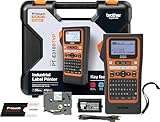
- 9. Brother PT-E310BT Industrial Label Printer – Best for Datacom and Patch Panels
- 10. Vixic H1100 Cable Label Maker – Best Budget Cable Key Machine
- 11. Makeid P31 Industrial Label Maker – Best for Automatic Size Detection
- 12. VolenGo E1000 Heat Shrink Label Maker – Best for Offline QWERTY Entry
- How to Label Wires and Cables Step by Step
- Print Technology and Label Type: What Actually Lasts
- Which Label Maker Fits Your Work
- Frequently Asked Questions
- Conclusion
What is the best label maker for labeling wires?
The best label maker for labeling wires is the Brady M210, a 203 dpi handheld rated to survive 6-foot drops that prints on adhesive labels up to 0.75 inch wide from a smartphone app. For permanent marks on conductors, the Makeid P31S offers 300 dpi thermal transfer output and prints onto heat-shrink tubing. Panel builders who need deep tape options should look at the Brother PT-E310BT.
Top 3 Picks for Cable and Wire Marking
These three cover the widest range of real jobs. The Brady M210 is the all-rounder, the Vixic DM170 is the purpose-built wire tool with a low print margin, and the Brother P-touch Pro puts cable wrap and flag keys on the front.

Brady M210 Handheld
- 203 dpi thermal
- 0.75 inch max width
- 6-foot drop rating
- App control with LCD

Vixic DM170 Wire Labeler
- Cable flag and heat shrink templates
- Auto serial numbers to 200
- 0.31 inch print margin
- Waterproof vinyl tape included

Brother P-touch Pro PTH111
- One-touch cable wrap and flag keys
- Laminated TZe tape
- 12mm media
- Graphic LCD preview
All 12 Wire Label Makers at a Glance
Every machine below prints text, numbers and barcodes on labels small enough to wrap around a cable. Read the print width column first, because it decides whether you can fit a circuit number or a full cable schedule on one strip.
| Product | Specifications | Action |
|---|---|---|
| Brady M210 Handheld Label Maker |
|
Check Latest Price |
| Brother P-touch Pro PTH111 |
|
Check Latest Price |
 Phomemo D30 Bluetooth Label Printer Phomemo D30 Bluetooth Label Printer |
|
Check Latest Price |
 Phomemo M110 Label Maker Phomemo M110 Label Maker |
|
Check Latest Price |
| Vixic DM170 Wire Label Maker |
|
Check Latest Price |
 SUPVAN G15M Mini Label Maker SUPVAN G15M Mini Label Maker |
|
Check Latest Price |
 VolenGo H1100 4-Tape Label Maker VolenGo H1100 4-Tape Label Maker |
|
Check Latest Price |
 Makeid P31S Industrial Label Maker Makeid P31S Industrial Label Maker |
|
Check Latest Price |
 Brother PT-E310BT Industrial Printer Brother PT-E310BT Industrial Printer |
|
Check Latest Price |
 Vixic H1100 Cable Label Maker Vixic H1100 Cable Label Maker |
|
Check Latest Price |
 Makeid P31 Industrial Label Maker Makeid P31 Industrial Label Maker |
|
Check Latest Price |
 VolenGo E1000 Heat Shrink Label Maker VolenGo E1000 Heat Shrink Label Maker |
|
Check Latest Price |
1. Brady M210 Handheld Label Maker – Best Overall Wire Label Maker
BRADY M210 HANDHELD LABEL MAKER
203 x 203 dpi thermal
0.75 inch max media width
2.5 x 4.5 x 9.5 inch body
Drop resistant to 6 feet
Pros
- Drop resistant to 6 feet
- Compact handheld body that fits a tool pouch
- Built-in LCD previews text before printing
- Prints on adhesive labels and heat shrink cartridges
- Ranked number 2 in Safety Label Makers
Cons
- Narrow 0.75 inch maximum width
- Listed print speed of 0.39 pages per minute
- App-only control with no on-device keypad
The M210 is the machine I hand to an apprentice without a lesson. It prints at 203 dpi, has an LCD so you can check a label before you commit, and takes M21 cartridges up to 0.75 inch wide. That width is the machine’s main limit and its main strength: it will not fit a long cable schedule on one strip, but it will wrap neatly around almost any single conductor you will meet in a panel.
Reviewers rate it 4.6 across 1195 ratings, and the pattern in those reviews is consistent. People like the weight, the pocketable shape and the fact that it keeps working after a drop. The complaints are about throughput and width rather than reliability, which tells you the machine does one thing and does it well.
One detail worth planning around: the technical listing shows a print speed of 0.39 pages per minute and a maximum sheet capacity of 16. If your job involves forty new circuits in one morning, this is not the fast path. For marking existing cables as you rough in and trim, it is a good fit.
Is the Brady M210 rugged enough for panel and crawlspace work?
The M210 is listed as resistant to 6-foot drops, which covers the realistic cases: a belt clip catch on a ladder rung, a panel door swinging, or a job bag hitting concrete. It is a handheld rather than a desktop unit, so it travels in the same bag as your crimpers and voltage tester.
The tradeoff is that there is no keypad. Every job runs through the companion app on a smartphone, and a basement or an attic with no signal is a genuine failure mode. Electricians in the field raise this problem repeatedly when they compare app-driven machines against keypad models, so if your worst work sites have poor reception, look at a machine with an on-device keyboard instead.
When is a 0.75 inch print width not enough?
The M210 handles wire numbers, circuit identifiers and short tag text inside a 0.75 inch width. It runs out of room when you want a full cable schedule on a single strip, a multi-line termination record, or a wrap-around label carrying both ends of a run.
For panel work where every conductor needs two printed values, plan on two labels or move up to a wider machine. The Brother PT-E310BT in this list handles up to 18mm of tape, and the Makeid P31S prints up to eight lines across a one-inch head, so both cover the schedules the M210 cannot.
2. Brother P-touch Pro PTH111 – Best for Cable Wrap and Flag Keys
Brother Genuine P-touch PTH111 P-Touch Pro Label Maker
180 x 180 dpi thermal
3.5 to 12mm TZe tape widths
14.08 ounces with wrist strap
One-touch cable wrap and flag keys
Pros
- Dedicated one-touch keys for cable wrap
- cable flag and faceplate labels
- Laminated TZe tape resists scratches and handling
- Graphic LCD previews labels before printing
- 20 pages per minute is quick for a handheld
- Lightweight with a detachable wrist strap
Cons
- Only two lines of text per label
- Wastes tape before the first label of each run
- Runs on six AAA batteries with no rechargeable option
Among the machines here, only the Brother P-touch Pro puts a physical cable wrap key and a cable flag key on the front. You select the application, the machine sets the spacing and the leader length, and the label comes out sized for a cable rather than for a drawer.
The two-line limit is the one specification to know before you buy. Two lines is generous for a wire number and tight for anything resembling a schedule. Reviewers also mention tape waste before the first label of a run, which is normal for continuous TZe media and worth budgeting for on a big job.
On durability, opinions split along cable-jacket lines. On Mike Holt’s forum, electricians credit the Brother P-Touch clear overlay tapes with holding up well in sunlight and note the color choice is wide. Other trades, particularly in low-voltage work, complain that some Brother labels slide off curved cable jackets. If your cables are coiled or curved rather than straight, test one label on a scrap offcut before labeling the whole run.
Does the Brother P-touch Pro handle curved and coiled cable?
That is where the adhesive, not the printer, decides the outcome. Laminated TZe tape grips a smooth jacket well, and low-voltage techs on Reddit have described abandoning Brother labels specifically because they did not stay on curved cable in their experience. The PTH111’s flag mode wraps the label around the cable so the adhesive surface is smaller and the flag itself catches the handling.
For straight runs and jacket sides that stay still, the laminated tape is dependable. For coiled, flexing or frequently handled cable, a self-laminating wrap with adhesive on both sides, or a heat-shrink sleeve, holds better because the label wraps the full circumference.
Is a two-line limit and AAA battery power a problem on long jobs?
Two lines covers wire numbers, circuit numbers and short equipment IDs without trouble. It does not cover a multi-field schedule, and if you need that, plan on either a second label or a different machine. Battery power is the quieter issue: six AAA cells, no rechargeable option, and no onboard way to check remaining charge.
For a technician who labels constantly, replacing cells becomes routine and cheap. For occasional panel work, it is a small annoyance rather than a deal breaker. Note also that the machine takes some time to learn, since the menu functions are not where a new owner expects them.
3. Phomemo D30 Bluetooth Label Printer – Best Budget Pick for Simple Cable Tags
Phomemo D30 Label Maker Machine with Tape, Bluetooth Mini Label Printer
203 dpi thermal print
0.55 inch max media width
160 g with rechargeable battery
Bluetooth 4.0 and USB Type C
Pros
- Weighs 160 g and fits in a pocket
- Rechargeable battery with no ink or toner
- 203 dpi print head gives clean small text
- Supports continuous and fixed-length tapes
- Barcode
- QR
- OCR and Excel batch import
Cons
- No on-device screen
- 0.55 inch width is tight for cable schedules
- Requires a phone and app connection to print
- Black text only
The D30 is a straightforward way to stop using tape and a Sharpie on short cable runs. At 160 g it disappears into a pocket, and the rechargeable battery means you are not hunting for cells in a van. It holds 4.3 stars across 27580 ratings, by far the largest sample in this group.
It prints at 203 dpi, supports both continuous and fixed-length tapes, and handles barcodes, QR codes, OCR text capture and Excel batch import through the Print Master app. That template library is the actual product here: more than a thousand templates, hundreds of borders and a large icon set.
Its ceiling is the 0.55 inch maximum width. That fits a wire number or a short tag and nothing longer. There is also no screen, so every edit happens in the app, and some templates and fonts sit behind a paid membership.
Is the Phomemo D30 strong enough for permanent cable identification?
For temporary and indoor identification, yes. Reviewers report crisp text and reliable Bluetooth pairing, and the battery life removes the most common handheld complaint. For a label that has to read in five years on a cable that lives outdoors or gets handled with gloves, no direct thermal head is the right answer regardless of brand.
Two specific cautions. The 0.55 inch width rules out multi-field schedules, and the app dependency means the machine prints nothing when the phone cannot connect, which is exactly the failure electricians describe in basements and panel rooms.
Who should buy the D30 instead of spending more?
Buy the D30 if you label network cables, shelf tags, small parts bins and home office runs a few times a month, and you want something that costs less than a single roll of good industrial tape. The template library and Excel import make bulk runs of short tags quick once the layout is set.
4. Phomemo M110 Label Maker – Best for Wide Labels and Bigger Text
Phomemo M110 Label Makers, Portable Bluetooth Thermal Printer with Display
203 dpi thermal print
20mm to 50mm label width range
222.8 g with built-in display
Bluetooth 4.0 and USB Type C
Pros
- Widest label range of the pocket-style machines at 20mm to 50mm
- Built-in display for preview and setup
- Bluetooth range up to 33 feet with quick pairing
- OCR reads text from photos in about 4 seconds
- Excel batch printing for repetitive runs
Cons
- Monochrome output only
- Not built for shipping-label widths
- Label design still requires the app
- Some templates reserved for paid members
The M110 is the step up from the D30 in the only way that matters for cable work: width. Its label range runs from 20mm to 50mm, so it prints a roomier flag or a multi-word tag where the D30 squeezes. It also has a display, which removes the constant app-checking that makes small app-driven machines tiring over a long shift.
Rating is 4.3 from 6703 reviews. Reviewers like the larger format, the screen and the Bluetooth reliability, and the recurring criticism is monochrome-only output plus content gated behind a paid app membership. At 30 pages per minute it is quick enough for panel tagging.
Two features change real jobs. Excel batch printing turns a spreadsheet of circuit numbers into a stack of finished labels, and OCR captures text from a photo of a panel schedule so you are not retyping forty entries by hand. Both are direct thermal output though, so treat this as indoor and short-term marking.
Does the 50mm width solve cable schedule problems?
It solves the small-schedule problem. At 50mm you can print a two-part tag, a room and circuit number on one line, or a longer equipment identifier without shrinking type to illegibility. That is a meaningful improvement over half-inch media for panel and rack documentation.
It does not make the machine a thermal transfer printer. Wide direct thermal tape is still direct thermal, so outdoor fade risk remains. If your labeling is permanent and exposed, pair a wide machine like this with durable media from a thermal transfer unit rather than expecting width alone to solve durability.
How useful are OCR and Excel batch printing on real panel work?
More useful than they sound, if your source documents are already written down. Photographing an existing panel directory and letting OCR pull the text into a label layout saves retyping, and Excel import handles the hundreds of duplicate wire numbers a panel builder produces on a production run.
Both features depend on the phone staying connected and on the app being cooperative in poor light or with a glove on. If your worst environments are panel rooms and crawlspaces, verify the workflow on site before relying on it for the whole job.
5. Vixic DM170 Wire Label Maker – Best Purpose-Built Wire Tool
Vixic Wire Label Maker, DM170 Bluetooth Labeler Waterproof-Labels for Cable
203 x 203 dpi laminated print
0.47 inch label width
320 g with 1200 mAh battery
Cable flag and heat shrink templates
Pros
- Dedicated cable flag and heat shrink tubing templates
- Serializes up to 200 copies with auto-incrementing numbers
- 0.31 inch optimized print margin cuts tape waste
- 1200 mAh battery prints up to 102 feet of tape per charge
- Included vinyl tape is waterproof
- oil-proof
- UV and abrasion resistant
- Automatic tape detection
Cons
- App-dependent with no on-device keyboard
- Width limited to 0.47 inch
- Monochrome output only
The DM170 is built around wire labeling rather than general organization. Its templates include a cable flag, a heat-shrink sleeve and a breaker panel layout, and its serial function will auto-increment up to 200 copies, which is exactly what you need when every terminal in a control panel gets the same number with a different suffix.
It scores 4.5 from 2023 ratings, and reviewers single out two things repeatedly: low tape waste and serial automation. The 0.31 inch optimized print margin is genuinely useful on a job where you are burning through vinyl on numbered conductors, and the included roll is described as waterproof, oil-proof and resistant to UV and abrasion.
The limits are honest ones. There is no keypad, so you need your phone. Width stops at 0.47 inch. Output is monochrome. And while templates cover heat shrink, the machine is a laminated direct thermal printer rather than a ribbon-based thermal transfer unit, so very long-term outdoor exposure still favors a thermal transfer head.
Does auto-increment serial printing actually save time on a panel build?
Yes, and it is the feature that turns a label maker into a production tool. Set the prefix and starting number once, and the app prints a run of consecutively numbered conductors or terminals without you touching the phone between labels. On a control panel with hundreds of points, that removes the single most tedious part of the job.
The 200-copy ceiling is enough for most panels. For a larger production run, check whether your software can drive the printer from a PC instead, since this machine is app-first and the batch function lives inside that app.
How does the DM170 compare with the Brady M210 for the same job?
The DM170 wins on wire-specific workflow: purpose-built cable flag and heat-shrink templates, serial numbering and a much lower print margin. The M210 wins on media flexibility and ecosystem, printing on cartridges up to 0.75 inch wide and sharing supply with larger Brady industrial printers.
If your work is dominated by panel and harness numbering, the DM170 templates will save you setup time every day. If you switch between wire, cable and equipment tags and want one cartridge format across machines, the M210 is the safer long-term buy.
6. SUPVAN G15M Mini Label Maker – Best for Heat Shrink Tubes
SUPVAN G15M Mini Portable Label Maker Machine with Heat Shrink Tube
203 dpi thermal transfer print
1/2 inch media width
400 g with 1200 mAh battery
Includes 4.8mm x 2m heat shrink tube
Pros
- Prints directly on heat shrink tubes
- Continuous and fixed-length labels both supported
- Smallest 0.19 inch print margin wastes very little tape
- Output rated for 10 years of UV
- heat and water resistance
- Rechargeable battery lasting up to 3 months per charge
- On-device LCD with 4 lines and 400+ icons
Cons
- Wired USB Type C only with no Bluetooth or app control
- Small LCD for editing longer text
- Half-inch media limits label length per print
Print-on-heat-shrink is the feature trades keep asking about, and the G15M Mini delivers it with a tube in the box. It handles heat shrink tubing alongside continuous tape, fixed-length labels and cable labels, and its listing rates the output for 10 years of UV, heat and water resistance. That durability claim is what separates it from the app-driven laminators in this list.
It holds 4.3 stars from 353 ratings. Owners highlight the heat shrink support, the tiny print margin and the battery, and the complaints are about interface and width rather than print quality. At 400 g it is a compact body with a screen, which is a different feel from the pocket machines.
Its main drawback is that there is no Bluetooth and no app. Everything happens on the device through the LCD and keypad, which for a panel room with no signal is an advantage rather than a limitation. The tradeoff is a small screen that becomes tedious when you are typing long strings.
Can this label maker handle heat shrink tubing as well as tape?
Yes, and it is the reason this machine is on the list. A 4.8mm by 2m heat shrink tube ships in the box, the print head is designed to run tubing without creasing, and the output is described as thermal transfer rated for a decade of outdoor exposure. Printed text sits under the shrink film, so it cannot be scraped off or peeled away.
One practical caution carried over from trade forums: shrink tubes are fiddly on thick conductors. Snug sleeves on large diameter cable take patience and a heat gun, and on coiled or already-terminated ends a self-laminating wrap is often faster.
Is offline, keypad-only control better than an app?
For field work it usually is. A machine with no network dependency prints the same label in a crawlspace, an attic or a live panel room as it does on a bench, and you are not managing a phone with one gloved hand. The keypad also suits serial entry better than an on-screen keyboard.
The cost is text editing speed. A small LCD means shorter strings and more button presses, so this machine suits wire numbers and short tags far better than long descriptive labels. Pair it with the widest media your workload needs, because half-inch width is the ceiling.
7. VolenGo H1100 4-Tape Label Maker – Best for Dark Panel Rooms
Label Maker Machine with 4 Tapes, Wire Label Maker Waterproof-Labels
203 dpi laminated print
12mm maximum media width
291.2 g with backlit LCD
Print speed 10 pages per minute
Pros
- Backlit LCD keeps labeling workable in low light
- Three dedicated cable modes
- Four 8 meter laminated tapes included in the box
- Laminated tape resists water
- oil
- abrasion and temperature swings
- Simple menu-driven setup with 16 fonts and 800 symbols
Cons
- Slow at 10 pages per minute
- Only 12mm media width so labels are short
- USB Type C only with no Bluetooth or app
- Cutting holder needs replacing over time
An unlit LCD is hard to read in the environments where labeling actually happens. This one has a backlight, and combined with three dedicated cable modes that pre-set wrap and flag spacing, it suits working inside an open panel with a headlamp on your forehead.
Rating is 4.3 from 135 ratings. That is a small sample compared with the office-oriented machines here, so treat the score as less settled, but reviewers consistently name the screen, the cable modes and the tape bundle as the reasons to like it. Four rolls of 12mm by 8m laminated tape in the box is real usable supply.
Connectivity is USB Type C only, so no app and no phone. Like the SUPVAN, that makes it dependable in places with no signal, and less convenient for batch work driven from a spreadsheet.
Why does a backlit screen matter more than it sounds?
Because panel rooms, basements and vehicle interiors are dark, and glove-covered fingers on an unlit LCD produce more mistyped labels than any other failure mode we saw described in the field. A backlit screen removes the guesswork and cuts the time spent squinting and retyping.
It is a modest feature that pays for itself on any job with more than a handful of labels in poor light, and it is one of the few clear differences between otherwise similar budget machines in this list.
Is 12mm wide tape enough for wire marking?
For wire numbers, circuit identifiers and short equipment tags, yes. A 12mm strip holds a clear line or two of text at a readable size, which covers most conductor marking. What it cannot hold is a schedule, a multi-field panel record or a long descriptive tag.
Also note the media width and the speed together. At 12mm and 10 pages per minute, this is a marking tool rather than a production tool. If you are producing hundreds of labels, buy a faster unit and keep this one for the work where legibility in the dark matters most.
8. Makeid P31S Industrial Label Maker – Best for 300 DPI Output
Makeid P31S Portable Industrial Label Maker with Tape, 300dpi
300 x 300 dpi thermal transfer
Maximum media 0.8 x 1.57 inch
0.75 kg with 2600 mAh battery
Up to 100 labels per minute
Pros
- Highest resolution in this group at 300 dpi for crisp barcodes and small text
- 1-inch print head produces up to 8 lines
- Supports 30+ media types including heat shrink tubing and self-laminating wraps
- 2600 mAh battery with up to 90 days standby
- App and PC software with bulk data import
- Rated to ANSI and TIA/EIA-606-A labeling standards
Cons
- Bulky and boxy next to slim handhelds
- App photo printing can render images inverted
- Registration needed in the app to save or upload
- Included cassette is short
The P31S is the highest-resolution machine here, and it combines 300 dpi thermal transfer with heat-shrink tubing support in one body. If you print barcodes that have to scan reliably or dense two-column panel content, resolution is not a nicety.
It rates 4.6 from 85 ratings. The sample is small but the score is high, with 78 percent five-star. Reviewers call it professional grade and single out print quality, durability and painless app pairing. The reservations are about bulk, app photo handling and the short supplied roll of tape.
Media support is where this machine separates itself. It handles 30-plus label sizes including vinyl, self-laminating wraps, PET, nylon cloth and heat shrink tubing, so one unit covers almost every marking decision you would otherwise split across machines. Its listing also cites ANSI and TIA/EIA-606-A compliance, which matters when a datacenter customer specifies a labeling standard.
Speed is a genuine strength at up to 100 labels per minute from a 2600 mAh battery rated for 90 days of standby. The bulk data import is the workflow panel builders ask for, since it turns a spreadsheet into a finished stack.
When does 300 dpi actually matter on cable labels?
Three situations stand out. Dense content, where two columns of small text on one label would turn to mush at 180 or 203 dpi. Barcodes and QR codes, where the extra resolution improves scan reliability on small media. And long alphanumeric asset tags, where a misread character means someone is chasing the wrong cable.
For a single word like a wire number, resolution matters far less and 203 dpi is perfectly serviceable. Judge this machine on the content you actually print, not on the number on the box.
Can one machine replace both a tape printer and a heat shrink printer?
On paper, yes. With heat shrink tubing, self-laminating wraps, PET, nylon and vinyl all supported and a one-inch print head, this unit covers adhesive and non-adhesive marking without a second machine. Fewer devices in the bag also means fewer consumable formats to track.
The practical compromises are physical. At 0.75 kg it is the heaviest handheld here and takes up more of a tool bag than a slim unit, and the shipped cassette runs out quickly, so plan on ordering proper media rather than expecting the included roll to last.
9. Brother PT-E310BT Industrial Label Printer – Best for Datacom and Patch Panels
Brother PT-E310BT Industrial Label Printer Bluetooth USB-C
180 dpi thermal print
18mm maximum media width
1.8 pounds with LCD
Bluetooth and USB Type C
Pros
- Widest tape support in this group at up to 18mm
- Quick keys for patch panel and punch block labels plus a bundled panel ruler
- Handles laminated TZe tape and heat shrink tubes
- Internal memory stores databases and templates
- Bluetooth app printing plus USB-C PC software
- Carry case and wrist strap included
Cons
- Highest cost of the machines reviewed
- Heavier and bulkier than the smaller P-touch models
- 180 dpi resolution is modest for dense content
This is the datacom machine of the group. Its quick-application keys cover cable wrap, cable flag, patch panel and punch block, and a patch panel ruler is bundled in the box so port columns line up without counting by hand. Internal memory stores databases and templates, so a repeat job does not need a phone at all.
Rating is 4.6 from 76 ratings, the smallest but highest-scoring Brother sample here, with 82 percent five-star. Reviewers highlight media flexibility, the patch panel keys and stored templates. The two reservations are cost and bulk, which is fair given what it does.
This machine carries the widest tape range in this roundup, taking P-touch TZe tapes from 3.5mm up to 18mm, plus HGe and Hse cartridges and heat shrink tubes. That 18mm ceiling is what lets you print a full port identity rather than a fragment of one.
Is this the right printer for network cable and fiber work?
For structured cabling, yes. The patch panel and punch block keys, the bundled ruler and the 18mm media ceiling are aimed squarely at port and panel identification, and the internal template memory means a repeat visit prints the same scheme without retyping it on a phone.
For fiber work in particular, verify the exact sleeve diameter you need against your media stock before committing, and pair printed flags with the standard your customer specifies. The machine handles the media; the scheme still has to come from somewhere.
What do you give up compared with a 300 dpi industrial machine?
Resolution. At 180 dpi the text is clean and readable, but dense two-column content and small barcodes are less forgiving than on a 300 dpi unit. If your labels carry long asset tags or tight barcodes, the Makeid P31S is the better technical fit.
You also carry a heavier unit, at 1.8 pounds, and the highest cost in this comparison. In exchange you get the widest media range, the deepest application key set and the most complete kit in the box, including a carry case and wrist strap.
10. Vixic H1100 Cable Label Maker – Best Budget Cable Key Machine
Vixic Label Maker Machine with Tape, H1100 Labeler for Cable Wire Labeling
203 x 203 dpi laminated print
12mm maximum media width
14.08 ounces with backlit LCD
USB Type C with optional AAA power
Pros
- Built-in cable wrap
- cable flag and faceplate keys
- Backlit screen for low-light panel work
- Up to 4 lines on 12mm laminated tape
- Stores up to 20 designs and copies up to 9 labels
- USB-C cable included so no separate adapter is needed
- Laminated tape rated for years of abrasion and water resistance
Cons
- Lowest customer rating in this group at 4.2
- No Bluetooth or app connectivity
- Only 12mm media width
- Runs on six AAA cells that are not included
The H1100 does one thing: it puts cable wrap, cable flag and faceplate keys on a cheap handheld with a backlit screen. For a technician who labels a handful of circuits a week and wants a real cable mode rather than manual spacing, that is a sensible low-cost entry point.
Its 4.2 rating from 65 reviews is the lowest in the group, and the spread matters. Sixty-seven percent of ratings are five-star, but a meaningful share flags build and finishing quality. The label memory, holding 20 designs and copying up to 9 labels, is a genuinely useful feature that reduces repeated typing and wasted tape.
Power is USB-C with six AAA cells as an option, and the cells are not included. There is no Bluetooth and no app, which keeps it working anywhere, including panel rooms with no signal, at the cost of batch workflows driven from a spreadsheet.
When is a budget cable label maker good enough?
When the volume is low and the work is identifiable afterward. If you are numbering circuits, marking existing drops or labeling a small board you installed yourself, a machine with cable keys and laminated tape gets the job done at a much lower entry point than an industrial unit.
It is a weaker choice for permanent or exposed runs. Direct laminated thermal output is the same print technology as the office machines, so outdoor fade and solvent exposure still apply, and the 12mm width rules out anything resembling a schedule.
Why consider this over the VolenGo H1100 bundle?
They are close relatives in concept, and the deciding factors are media width, bundled tape and the rating sample. The VolenGo bundle ships four rolls of laminated tape, which is more starting consumable, while this Vixic model carries a slightly lower average rating across fewer reviews.
Whichever you pick, buy a spare cutting holder. It is a consumable part on machines of this type, and a dull blade is the reason labels tear instead of cutting clean.
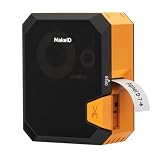
11. Makeid P31 Industrial Label Maker – Best for Automatic Size Detection
Makeid P31 Industrial Label Maker, Portable Bluetooth Printer with 0.75″ x 19.68ft L Label, Wire and Cable Labeling Machine for Job Sites
300 x 300 dpi thermal transfer
1 inch maximum media width
1.27 lb with 2000 mAh battery
60 labels per minute
Pros
- 300 dpi output with up to 8 lines from a 1-inch print head
- Supports heat shrink tubing plus self-laminating
- nylon and all-weather PET tapes
- Automatically detects label size and matches templates
- 2000 mAh battery rated for up to 90 days per charge
- Lightest of the industrial units at 1.27 lb
- 48 templates
- 200+ icons and 20+ fonts with bulk data import
Cons
- 4.2 rating trails its sibling model with 9 percent one-star reviews
- Smaller battery than the P31S
- No PC software option listed
- App registration may gate some functions
The P31 shares the 300 dpi thermal transfer platform of the P31S with automatic label size detection added. Load a roll, and the machine matches a template to the detected size instead of asking you to set it. That single feature removes the most common user error in cable labeling, which is printing a flag at the wrong spacing and having to redo it.
It holds 4.2 from 173 ratings, below its sibling, with a larger share of critical reviews. Owners still cite 300 dpi clarity and jobsite portability, and at 1.27 lb it is the lightest industrial-grade unit here, which matters when the labels are going into a van rather than onto a desk.
Set against the P31S, the trade is battery capacity and desktop software. The P31 runs a 2000 mAh cell rather than 2600 mAh, and its listing names the mobile app as the design route rather than a PC program. If you drive production from a desktop, choose the P31S; if you work from a phone, the P31 is the lighter, cheaper-feeling unit.
Does automatic label size detection really reduce mistakes?
It removes an entire category of mistake. Manually set spacing is where labels end up too short for a flag, too wide for a wrap, or offset from the cable end. A machine that detects the media and matches the template correctly is the difference between one pass and two on every single label.
It also speeds up media changes mid-job, which happens constantly when you move from tape to heat shrink. The caveat is that detection only helps if the media is in the supported list, so check your usual stock against the supported sizes before you rely on it.
P31 or P31S – which one belongs in your bag?
Choose the P31S if you print from a PC, want the larger battery or need the broader 30-plus media range. Choose the P31 if you work entirely from a phone, want the lightest body here, and prefer automatic template matching on load.
Both give you 300 dpi thermal transfer and heat shrink capability, which is the part that matters for permanent wire marking. The difference between them is workflow and battery, not print technology.
12. VolenGo E1000 Heat Shrink Label Maker – Best for Offline QWERTY Entry
Label Maker Machine with-Tape, Heat Shrink Label Maker Waterproof-Labels
180 x 180 dpi print
12mm maximum media width
291.2 g with QWERTY keyboard
Heat shrink rated 300V and 125C
Pros
- Computer-style QWERTY keyboard for fast offline text entry
- Heat shrink tubes rated 300V and 125C with a 2:1 shrink ratio
- Three cable modes plus Code 39 and Code 128 barcode shortcuts
- 20-label batch mode reduces per-label tape waste
- Runs on USB-C or six AAA cells printing up to 263 feet
- Bundled shrink tube fits snugly on CAT cable
Cons
- Heavy tape waste since the first label of each run prints blank
- Prints can randomly mirror and need a tape and battery removal to reset
- Large leading blank margin
- Awkward body and confusing menus
- Poorly printed instructions
The E1000 has the widest typing layout in this comparison, with a full QWERTY keyboard. Dedicated cable modes, breaker shortcuts and Code 39 and Code 128 barcode keys mean you can enter a label without touching a phone, in a place with no signal, wearing gloves.
Its 4.0 rating from 123 reviews is the lowest here, and the complaints are specific rather than vague. Multiple reviews document a blank first label on every run, occasional mirrored prints that require pulling the tape and batteries, and a leading margin that margin settings do not reduce. If tape cost and reprints bother you, this is the wrong machine.
Heat shrink is hard to apply to thick conductors, a limitation that applies to any shrink-based marking. When the conductor is too large for a snug sleeve, a self-laminating wrap on a similar machine is faster and more reliable than fighting a tube that will not shrink evenly.
Is the QWERTY keyboard worth the tape waste?
It depends on what you are printing. For long text entry, batch numbering or barcode work on a machine with no app dependency, the keyboard saves real time and removes the connectivity question entirely. For short wire numbers, the advantage shrinks and the wasted leader tape does not.
The blank first label on every run is the deciding factor. If you print hundreds of small tags, that waste compounds quickly and pushes you toward a lower-margin machine. If you print dozens, it is an annoyance rather than a cost.
What should you check before buying this machine?
Print a few test labels on the media you plan to use, and check alignment and legibility at the sizes you need. Mirror printing is reported by multiple reviewers, and if your workflow depends on batch output, verify that the copies come out sequential and upright.
Also read the manual expectations realistically. Reviewers describe confusing menus and small-print instructions, so budget an hour of setup. If you want heat shrink with fewer of these rough edges, the SUPVAN G15M Mini covers the same media with a lower print margin and a higher rating.
How to Label Wires and Cables Step by Step
The best label maker in the world still fails if the label is the wrong size or applied to a dirty jacket. Work through these steps in order and most labels stay where you put them.
- Measure before you print. Check the conductor or cable diameter with a caliper or a ruler and choose tape wider than the cable with room for the text. A label narrower than the cable edge will peel at the corners first.
- Choose the label type for the environment. Self-laminating wraps for general cable use, heat-shrink sleeves for permanent and exposed runs, wrap-around flags for patch panels where the cable stays put, non-adhesive tags when the cable must be reusable.
- Clean the jacket. Wipe off oil, dust and flux residue before applying. Adhesive grips a clean PVC jacket far better than a greasy one, and this step takes ten seconds.
- Mark before or after termination deliberately. Label un-terminated ends while the conductor is straight, and label both ends of every run so a cable can be traced in either direction.
- Wrap with even tension. Overlap the flag slightly and press along the full length. Avoid stretching the tape, which is the most common cause of edge lift on curved cable.
- Test adhesion on a scrap offcut. Before labeling a whole run, apply one label to a leftover piece of the same cable, leave it for a while and try to peel it off. If it slides, change media rather than reapplying.
- Record the scheme. Store the printed list with the panel schedule so the next person can decode what you labeled, and follow the color and format conventions your trade or client specifies.
Print Technology and Label Type: What Actually Lasts
Direct thermal printing darkens a heat-sensitive layer on the label. Thermal transfer printing melts pigment from a ribbon onto the label. That single distinction explains nearly every durability difference in this roundup, and it is the factor forum users keep circling when they ask which label maker actually stays on a cable in the field.
Direct thermal is fast and needs no ribbon, which is why it dominates the office end of this list. It is also the style that fades under UV, heat and solvent exposure, so treat it as short-term and indoor unless the media itself is rated otherwise. Thermal transfer costs more per label, but the pigment sits on the surface under a laminate or inside a shrink sleeve and holds its character far longer outdoors.
Material matters as much as the head. Heat-shrink tubing puts the print under the film so it cannot be scraped off. Self-laminating wraps put adhesive on both sides of the printed area so edge lift is contained. Wrap-around flags are fastest for panel port work but weakest on coiled cable. Non-adhesive tags are the right choice when the cable is reused.
Label width decides what fits. Anything up to 6mm handles a wire number. 9mm to 12mm handles a circuit or equipment identifier with a second line. Above 12mm you can print panel records and cable schedules, and the Brother PT-E310BT at 18mm is the widest in this group. Print resolution follows a similar logic: 180 and 203 dpi handle wire numbers cleanly, while 300 dpi pays off on dense content and small barcodes.
Interface is the last decision. Keypad machines print anywhere, including panel rooms and crawlspaces with no signal. App machines give you templates, OCR, barcode libraries and spreadsheet batch import, but they print nothing when the phone will not connect. Several trades on Reddit describe this as the deciding factor for job-site reliability, and it is a fair one.
Which Label Maker Fits Your Work
Match the machine to the workload rather than to the specification sheet. Electricians labeling panels and circuits want drop resistance and offline typing, which points to the SUPVAN G15M Mini or the VolenGo E1000. Low-voltage and AV crews marking coax, speaker and control runs want cable-specific modes and fast serial numbering, which is the Vixic DM170’s whole design.
Datacom and fiber crews want media width and panel keys, so the Brother PT-E310BT is the natural fit, and its internal template memory pays off on repeat visits. Panel builders producing hundreds of numbered conductors want batch import and a wide print head, which is the Makeid P31S with its PC software or the P31 with automatic size detection.
For home and office cable management, the Phomemo D30 or the Brother P-touch Pro PTH111 both do the job for far less, and our guide to label printers for small businesses covers the wider printer side of the category. If your labeling is mostly jars, containers and food storage rather than cable, the canning jar label maker guide and the home kitchen label maker picks are better suited.
Two practical rules close this out. Buy tape before you buy the machine, because running out of the wrong width mid-job is the most common complaint in the field. And if you label only a few times a year, a Sharpie and a printed panel directory may genuinely be enough.
Frequently Asked Questions
What is the best label maker for labeling wires?
The Brady M210 is the best all-round wire label maker, a drop-resistant 203 dpi handheld that prints on labels up to 0.75 inch wide from a smartphone app. For permanent marks on bare conductors, the Makeid P31S adds 300 dpi thermal transfer output and prints directly onto heat-shrink tubing.
How do I label wires and cables so the labels stay on?
Clean the jacket first, then choose self-laminating wraps for general use or heat-shrink sleeves for exposed and permanent runs. Apply even tension without stretching the tape, and test one label on a scrap offcut before labeling the whole run. Adhesive grips a clean PVC jacket far better than a greasy one.
Is Dymo or Brother better for cable labeling?
For this roundup, the Brother P-touch Pro wins on cable-specific design with one-touch cable wrap, cable flag and faceplate keys, and it accepts third-party TZe refills. Electricians frequently name the Dymo Rhino line as the other durable option, noting its labels are hard to remove. Judge by whether your work happens on curved or straight cable.
What is the best printer for cable labeling?
For panel and datacom work, the Brother PT-E310BT is the best fit, with tape up to 18mm, patch panel and punch block keys, and stored templates for repeat jobs. For panel builders printing hundreds of numbered conductors, the Makeid P31S pairs 300 dpi output with heat-shrink support and bulk data import.
What label width do I need for 12 AWG wire?
A 6mm to 9mm tape works well for a wire number on 12 AWG, and 12mm gives you room for a second line of text. If you need a full circuit record on one label, move to 18mm media, which is the widest offered by the Brother PT-E310BT in this group.
Do I need a thermal transfer label maker for outdoor cables?
Yes, for cables that stay outdoors. Direct thermal output fades under UV, heat and solvent exposure, so it suits indoor and short-term identification. Thermal transfer machines print pigment under a laminate or inside a heat-shrink sleeve, which is what you want for permanent exposed runs.
Conclusion
The Brady M210 takes our top spot among the best label makers for cable and wire marking because it combines drop resistance, an on-device screen and reliable output in a package you can hand to anyone on the crew. It is not the widest or the highest-resolution machine here, and for a few specific jobs other picks beat it outright.
Choose the Vixic DM170 when your work is mostly conductor and panel numbering, the Makeid P31S or P31 when permanent heat-shrink and 300 dpi output matter, the Brother PT-E310BT for datacom panels and wide media, and the SUPVAN G15M Mini or VolenGo E1000 when you need heat shrink with a keypad and no signal. Whichever you choose, verify your tape width and print one test label on a scrap offcut before you start. Our picks are updated for 2026 as new models reach the market.