
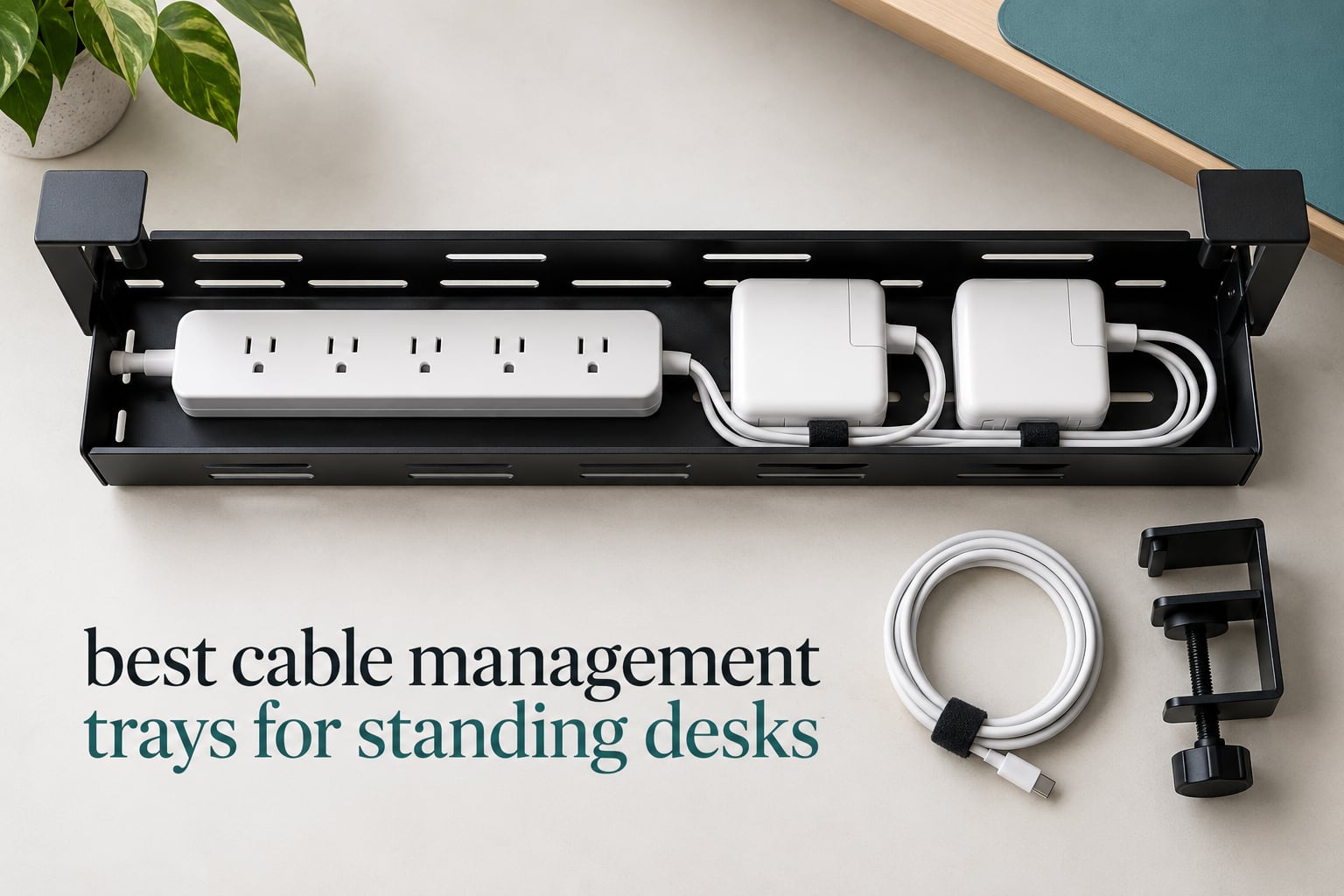
A cable tray earns the name standing desk cable management tray only if three things line up: it mounts without wrecking your desktop, it holds more weight than your power strip and adapters weigh, and it leaves your cables loose enough to travel the full height range of the frame. Miss any one of those and you will be rearranging the same cables every few weeks.
We spent weeks fitting trays to sit-stand frames in our own studio, from a compact clamp basket to a 36 inch fabric enclosure, and logged what survived daily up-and-down cycles. The short answer: a no-drill clamp mount beats drilling almost every time, powder-coated steel beats molded plastic for heavy adapters, and tray length matters more than tray style once you count the slack you need. If you are still choosing a desk first, our standing desk picks for home offices and small-space options are worth a look before you size a tray.
There are two separate cable problems under a standing desk, and most people only solve the first. Surface-level cables are the ones that lie across the desktop and drop through a grommet; those barely move when the desk travels. Vertical-run cables are the mains lead, the ethernet run and anything else heading to the floor, and those stretch and compress through the frame’s travel every single time. A tray only fixes the vertical run properly if you pair it with a deliberate service loop, which we explain in detail further down.
Table of Contents
- Why Standing Desks Need Their Own Cable Management
- Top 3 Cable Management Trays for Standing Desks in 2026
- All 12 Trays Compared Side by Side
- 1. REFLYING No-Drill Steel Tray – the One We Fit First
- 2. Cinati Clamp Tray – Compact No-Drill Option
- 3. Xpatee Deep Tray – Best for Heavy Power Bricks
- 4. Litwaro Mesh Tray – Best 15 Pound Clamp Design
- 5. Ucanng Mesh Tray – Five-Minute Install
- 6. Xpatee Two-Pack – a 31.4 Inch Run for Long Desks
- 7. VIVO Low-Profile Rack – Stays Out of Your Knees
- 8. Univivi 36 Inch Fabric Tray – Hides Everything
- 9. Cotohim 35.8 Inch Fabric Tray – Room for a 12-Outlet Bar
- 10. FLEXISPOT Metal Raceway – Screwed Down for Good
- 11. COREMINDED Two-Pack – Two Workstations in One Box
- 12. Scandinavian Hub Adhesive Two-Pack – No Drilling Required
- How to Choose a Cable Tray That Fits Your Standing Desk
- Service Loops, Slack and Pinch Points
- Installing a Cable Tray on a Standing Desk
- Frequently Asked Questions
- How much slack do I need for standing desk cable management?
- What is a service loop in cable management?
- Why do my desk cables get pinched when I adjust the height?
- Should I manage my monitor and keyboard cables the same way as my power cable?
- What type of cable tray should I buy first?
- Can I use adhesive-mounted cable clips for my main power strip tray?
- Will an under desk cable tray fit my standing desk?
- The Bottom Line
Why Standing Desks Need Their Own Cable Management
A fixed desk gives you a static problem. A standing desk gives you a moving one, and movement is what destroys cables. Every raise and lower pulls cords through the telescoping leg columns, so tension that a static desk never applies gets applied dozens of times a week.
Three failure modes show up again and again. Cables routed tight against a leg column get pinched and crimped until the sheath splits. Cables with no slack pull taut at full extension and stress the ports on both ends. And cables with far too much slack collapse into a tangle at sitting height that nobody wants to deal with at the start of a workday.
The fix is consolidation. Put your power strip and every brick adapter into one tray, so a single mains cord and a single network cable are the only things that have to reach the floor. Everything else terminates inside the tray, where relative movement does not matter. That principle is why nearly every experienced builder we spoke to centralizes power in one box rather than spreading hardware across clips.
One more factor gets overlooked: weight distribution. A tray loaded with a surge protector and several laptop bricks, all pushed toward one end, puts asymmetric load on the desktop. Owners on sit-stand frames report noticing more lean or motor noise once heavy adapters are stacked on a single side, so try to keep the load centered over the frame’s crossbar rather than out near the edge.
Top 3 Cable Management Trays for Standing Desks in 2026
These three came out ahead after weeks of fitting, removal and refitting across laminate, glass and solid wood tops. Each one is a clamp mount, which is the format we now default to for anything that moves.

REFLYING No-Drill Steel Tray
- Screw-free clamp install
- Powder-coated carbon steel
- Silicone scratch pads
- 15.7 in tray

Cinati Clamp Tray
- Clamp mount
- no drilling
- Welded powder-coated metal
- Anti-scratch clamp mats
- 13.4 in tray

Litwaro Mesh Tray
- Carbon steel mesh
- 15 lb capacity
- Clamp mount inward or outward
- Rubber-padded clamps
Beyond these three, our under desk cable tray rankings cover the full field, and our cable management kit guide covers the clips and sleeves that finish a setup.
All 12 Trays Compared Side by Side
This table is the shortlist. Every tray below has a section further down with the detail, but the specs here tell you quickly whether a model will physically fit your desk and carry your load.
| Product | Specifications | Action |
|---|---|---|
| REFLYING No-Drill Steel Tray |
|
Check Latest Price |
| Cinati Clamp Tray |
|
Check Latest Price |
 Xpatee Deep Tray Xpatee Deep Tray |
|
Check Latest Price |
| Litwaro Mesh Tray |
|
Check Latest Price |
 Ucanng Mesh Tray Ucanng Mesh Tray |
|
Check Latest Price |
 Xpatee Two-Pack Trays Xpatee Two-Pack Trays |
|
Check Latest Price |
 VIVO Low-Profile Rack VIVO Low-Profile Rack |
|
Check Latest Price |
 Univivi 36 Inch Fabric Tray Univivi 36 Inch Fabric Tray |
|
Check Latest Price |
 Cotohim 35.8 Inch Fabric Tray Cotohim 35.8 Inch Fabric Tray |
|
Check Latest Price |
 FLEXISPOT Metal Raceway FLEXISPOT Metal Raceway |
|
Check Latest Price |
 COREMINDED Two-Pack COREMINDED Two-Pack |
|
Check Latest Price |
 Scandinavian Hub Adhesive Two-Pack Scandinavian Hub Adhesive Two-Pack |
|
Check Latest Price |
1. REFLYING No-Drill Steel Tray – the One We Fit First
Under Desk Cable Management Tray No Drill Steel Tray Black
Alloy steel 15.7 in tray
Screw-free clamp mount
Silicone scratch pads
7-piece kit
Pros
- Clamp mount works on wood glass metal and marble
- Powder-coated carbon steel holds power strips without sag
- Silicone pads protect the desktop
- Open sides let cables route between trays
- Bundled extra organizers and ties
Cons
- Clamp tightening screw is inverted and awkward under a desk
- Installation requires unplugging and replugging everything
- Mounting can be blocked by drawers or support bars
This is the tray we reach for first. The body is powder-coated carbon steel measuring 15.7 by 4.7 by 6.3 inches, and the depth is the reason it works with a real power strip plus a laptop brick rather than a strip alone.
Mounting is entirely screw-free. Two adjustable removable clamps grip the desktop, and silicone pads on the clamps keep the finish clean, which is why owners on glass and marble tops report no marks after months of use.
The hollow curved body with open sides is a genuinely useful detail. You can feed cables in from either end and route between two trays without unplugging anything, which matters more than it sounds when the strip is already wired to six devices.
Build quality is the strongest in this group. Reviewers describe it as stable and quiet under load, with no flex in the frame even when it is carrying a surge protector and multiple adapters.
Who this tray suits
It suits anyone with a mixed load: a power strip, a couple of laptop bricks and a dock, on a desktop of wood, glass, metal or marble. The clamp is also one of the few here that multiple owners confirm stays secure on thin tops, which is a common complaint about lighter trays.
If your desk has drawers or a support bar running under the surface, check the clearance before you buy. A small number of owners found the mount blocked by existing hardware, and that is a frame issue rather than a tray issue.
Where it falls short
The tightening hardware is the weak point. The screw is inverted, so you need a wrench and an Allen key held together in a tight space under the desk, and that is genuinely fiddly work.
Installing under a desk that is already cabled means unplugging everything and reconnecting it afterward. Budget ten minutes for that step rather than expecting a two-minute job.
2. Cinati Clamp Tray – Compact No-Drill Option
Cinati Under Desk Cable Management Tray, 13.4″ Metal Cord Organizer, White
13.4 in clamp tray
10 lb capacity
Fits 0.4 to 2.4 in tops
Welded powder-coated metal
Pros
- Clamp hangs on the desk frame with no drilling
- Anti-scratch clamp mats protect the surface
- Inward or outward opening orientation
- Holds 10 lbs
- Includes 4 cable clips and 6 cable ties
Cons
- 13.4 in size is tight for oversized power strips
- Short length limits multi-monitor and docking setups
The Cinati tray is the tidiest small option in the test group. At 13.4 by 4.6 by 3.1 inches with a 10 lb rating, it is built for a standard six-outlet strip and the cables that come with it, nothing more.
What makes it pleasant to install is the hardware. The clamp hangs directly onto the desk frame with padded mats at the contact points, so nothing touches the finished surface and there is no adhesive to cure.
You can mount the opening inward or outward, which sounds minor until you have a desk pushed close to a wall. Facing it inward keeps the cables hidden from the room; facing it outward makes plug changes easier.
The kit also includes four cable clips and six cable ties, enough to finish the surface-level tidy in the same box rather than in a second order. Owners consistently praise the welded powder-coated metal for rust and dust resistance over long-term use.
Who this tray suits
It suits a single-monitor or dual-monitor setup on a small desk where a 13.4 inch footprint is generous. It is also a strong pick for a glass top, since the clamp never contacts the glass face.
The 0.4 to 2.4 inch desktop thickness range covers nearly every laminate and solid wood top in circulation, so compatibility is rarely the issue here.
Where it falls short
The recurring limitation is length. Owners with wide multi-outlet strips or bulky laptop chargers report a tight fit, and anything dock-sized will not work at all in 13.4 inches.
If your power strip is a 12-outlet model, skip this one and look at the 19.7 inch or 36 inch options further down.
3. Xpatee Deep Tray – Best for Heavy Power Bricks
Under Desk Cable Management Tray, Xpatee Upgraded Wire Management No Drill No Screws, Cable Tray with Clamp for Wire Organizers, Computer Cord Rack for Office, Home – No Damage to Desk White
15.7 x 6.1 x 7.3 in tray
C-clamp no screws
10 lb capacity
Fits 0.4 to 2.4 in tops
Pros
- Deep 7.3 in body takes bulky power bricks
- No assembly drilling or glue needed
- Anti-scratch clamp mats
- Welded powder-coated metal resists rust
- Guardrail and mesh aids cable routing
Cons
- Included sticky cable tabs grip poorly
- Black stickies ship with the white version
- Clamp may not seat under a support bar
- Tray can tilt on the unclamped side
Height is the reason this tray exists. At 15.7 by 6.1 by 7.3 inches it is by far the deepest open metal tray in the group, and depth is what stops a stack of gaming laptop bricks from tumbling out every time the desk moves.
Installation is a C-clamp with no assembly, no screws and no glue, and owners describe it as a four-minute job. The anti-scratch mats sit between the clamp and the surface, so it is safe on laminate and finished wood.
The guardrail and mesh combination does two things at once. It routes cables into position without them sliding out, and it keeps air moving around stored electronics, which matters more in a closed basket than you would think.
Owners with sit-stand desks specifically report that it keeps cords clear as the desk travels, which is the behaviour we were testing for in the first place.
Who this tray suits
It suits anyone running a gaming laptop, a docking station or a multi-monitor arm where the load is tall rather than wide. The 10 lb rating covers a strip plus a few bricks, and the depth stops them shifting.
It is also a good match if your power strip is a wide multi-outlet model that would sit awkwardly in a shallow tray.
Where it falls short
The bundled accessories are the weak link. Owners report the included sticky cable tabs grip poorly, and the stickies shipped with the white tray are black, which breaks the color match on a light desk.
If your desk has a full under-perimeter support bar, the clamp may not seat completely, and a loaded tray can tilt slightly on the unclamped side. Measure the edge clearance before ordering.
4. Litwaro Mesh Tray – Best 15 Pound Clamp Design
Under Desk Cable Management Tray No Drill, Metal Mesh Cable Management Under Desk with Clamp Mount, 2 Hole Cable Tray with Wire Management and Cord Organizer for Home Office Standing Desk
13.38 in carbon steel mesh
Holds about 15 lbs
Clamp fits 0.4 to 2 in tops
Two holes per side
Pros
- Holds about 15 lbs without bending
- Tool-free install in about 3 minutes
- Rubber-padded clamps protect the desktop
- Two pass-through holes per side avoid sharp bends
- Mesh design improves airflow and resists dust
Cons
- 13.38 in size feels cramped with very bulky strips
- Docked equipment is awkward to reach once loaded
The Litwaro tray is among the strongest clamp-mounted options on raw weight. It holds about 15 lbs of carbon steel mesh, and owners report loading it with a surge protector and several adapters without any visible bending.
Two pass-through holes on each side are the detail we appreciated most during fitting. Cables leave the tray through a hole rather than over a raw edge, which removes the sharp-bend risk that damages insulation over time.
Assembly takes about three minutes with no tools beyond your hands, and the mounting orientation can face inward or outward to suit the desk position. Soft rubber pads on the clamp keep the desktop unmarked.
The ventilated mesh is a functional choice rather than a style one. Airflow keeps dust from building up around stored power supplies, and it is straightforward to wipe down when you need access.
Who this tray suits
It suits a heavy load on a modest budget, particularly a dual-monitor setup with several laptop chargers. Fifteen pounds of rated capacity gives you real headroom over a typical strip and brick combination.
It works on flat-edge desktops between 0.4 and 2 inches thick, which covers most standing desk tops sold today, and a one-year warranty is included.
Where it falls short
The 13.38 inch body is the constraint. Owners with oversized power strips report it feeling cramped, and larger variants exist in the same range if your strip runs long.
Reach is the other trade-off. Once a docked laptop is loaded in, pulling it back out to swap machines is awkward, so this works better as a permanent parking spot than a charging shelf.
5. Ucanng Mesh Tray – Five-Minute Install
Under Desk Cable Management Tray, No Drill Mesh Cable Tray Cord Organizer
15.35 in steel mesh tray
Supports up to 15 lbs
Clamp fits 0.4 to 2.0 in tops
Side-opening access
Pros
- Owners call install a five-minute zero-drill job
- Supports up to 15 lbs
- Adjustable clamps suit 0.4 to 2.0 in tops
- Mesh ventilates and wipes clean
- Side opening allows cable moves without removal
Cons
- Listed installation type says self-adhesive though clamps are the real mount
- Mesh baskets leave cables visible
This tray carries the highest average rating in the group, and the reason is installation speed. Owners consistently describe a five-minute, zero-drill job with adjustable clamps that leave no marks.
The clamps fit desktops from 0.4 to 2.0 inches thick across wood, glass and metal, which makes it one of the safer bets for a glass-top standing desk where drilling is not an option.
At 15.35 by 4.72 inches it holds power strips up to 15 inches long and 4.32 inches wide, and the 15 lb capacity is well above what a strip plus a couple of chargers needs.
The side-opening design is what we liked most. Cables can be moved in and out without unbolting or removing the tray, so re-patching your setup does not mean taking the whole thing down.
Who this tray suits
It suits anyone who wants a clean install on a glass, metal or rented desktop and does not want to wait for adhesive to cure. Several owners specifically fitted it under a UPLIFT-style frame and reported no movement during travel.
The mesh is easy to wipe clean, which matters in a shared office or a home setup where dust on a basket is visible from a seated position.
Where it falls short
There is a small spec inconsistency worth knowing: the listing records the installation type as self-adhesive even though the clamps are the primary mount. Treat the clamps as the real method.
Mesh means cables stay visible. If you want the underside of your desk to look empty from a visitor’s chair, this is the wrong style and a fabric enclosure further down will suit you better.
6. Xpatee Two-Pack – a 31.4 Inch Run for Long Desks
Xpatee 2 Pack Cable Management Under Desk Tray, 31.4″ No Drill Under Desk Wire Management with Upgraded Clamp, Metal Cord Organizers for Desk with Cable Organizers, PC Cable Management Rack, Black
Two trays, 31.4 in combined
10 lb per tray
Clamp fits 0.4 to 2.4 in tops
Padded clamps
Pros
- Two trays align into a 31.4 inch run
- Clamp mounting is fully drill-free
- Two open sides allow in-place power strip setup
- Padded clamps grip without scratching
- Inward or outward mount suits wall-side desks
Cons
- Some units sag slightly when fully loaded
- Included screws are barely long enough
- Clamp positions are fixed and can collide with desk items
Length is the whole point of this pack. Each tray is 15.7 by 4.7 by 5.9 inches and rated for 10 lbs, and two of them align into a continuous 31.4 inch run under a wide desktop.
That run matters on a 60 inch desk, where a single short tray leaves you splitting the power strip across two locations. Owners of long desks report it fitting a large power strip plus multiple bricks and still having room for the slack they need.
Both open sides mean you can position the strip after mounting rather than before, which removes the ordering problem that catches people out on a fresh install. The kit includes two trays, four cable clips and eight cable ties.
Clearance under the desk is a genuine strength here. Owners on sit-stand frames report the arms sit low enough to avoid knee contact through the full travel, which a deeper box would not manage.
Who this tray suits
It suits a long desk shared by one person, or two separate workstations if you want the trays apart rather than in a line. Reviewers value the combined run for holding slack as much as for holding hardware.
It is also a good pick if you plan to grow your setup. A two-tray run is much easier to expand into than a single short tray that you later have to replace.
Where it falls short
A few trays sag slightly once a power bar and several blocks are loaded, so spread the weight across both trays rather than concentrating it in one. The included screws are also barely long enough, which makes assembly fiddly.
A small number of reviews report a defective tray in the pack that wobbles or repeatedly falls off. Check both clamps as soon as the box arrives, and keep the packaging in case you need a replacement.
7. VIVO Low-Profile Rack – Stays Out of Your Knees
VIVO Low Profile 17 in Under Desk Cable Management Tray
16.5 x 3 in metal rack
Holds 11 lbs
Screw-in mount
Front cable access
Pros
- Low 3 inch profile stays clear of legroom
- Partially closed design hides cords with front access
- Metal build holds 11 lbs
- Minimalist black finish suits most setups
- Standard 11 inch mounting hole spacing
Cons
- Screw-in mounting is permanent and requires drilling
- 3 inch width is narrow so large strips sit sideways
The VIVO rack solves a different problem: knees. At 16.5 by 3 inches it is the shallowest tray in the group, and that low profile is the reason it works on a desk where a deeper box would hit your thighs at sitting height.
It is also the tray designed for permanent fixing. Screw-in mounting with holes 11 inches apart gives a genuinely rigid attachment, and the 11 lb rating is well matched to a power strip and a few adapters.
The partially closed body is well judged. It conceals cords from a standing view while a front opening keeps them easy to add or remove, which is the balance most trays get wrong in one direction or the other.
A one-year warranty is included, and the minimalist black finish disappears against most desk frames. Standard and extra-deep variants exist if you need more vertical clearance than the shallow version gives.
Who this tray suits
It suits anyone whose desk is against a wall or tucked under a low surface, where depth costs you usable space. The narrow profile also works well on a 48 inch desk where a 16.5 inch tray is proportionally large.
Choose it if you own the desk and never plan to move it. Nothing about the design is temporary, which is the appeal.
Where it falls short
Drilling is unavoidable. That makes it a poor fit for a rental, a glass top, or any desk you might move to another room or building.
The 3 inch width is genuinely narrow. Large surge protectors have to sit sideways or hang out, and a 12-outlet model will overhang the rack. If your strip is long, look at a wider tray instead.
8. Univivi 36 Inch Fabric Tray – Hides Everything
Univivi No Drill Under Desk Cable Management Tray, 36 inch Cable Management
36 in Oxford fabric tray
Clamp or screw mount
5.5 in tall enclosure
Unfolds for cable changes
Pros
- Clamp and screw fixing both supported
- 36 inch capacity takes a strip plus several bricks
- Fabric flexes to accept bulky items
- Unhooks to lay every cable out flat
- Stays put as the desk travels
Cons
- Mounting clips are visible from above
- Needs about 5.3 in of clear edge space
This is the largest tray we fitted, and it hides your cables rather than merely tidying them. A 36 by 5.5 by 5.5 inch envelope of thick 600D flame-retardant Oxford fabric over a bottom support frame reads as a clean black sleeve from underneath.
It accepts both clamp-on and screw fixing, so it works on wood, glass and metal tops and lets you change your mind later. A one-year manufacturer warranty is included.
The unfolding design is the feature we use most. You unhook the fabric cradle, lay every cable out flat on the floor, make your changes, then hook it back up. Comparing that with unplugging everything one cable at a time is the difference between a two-minute job and a twenty-minute one.
Capacity is substantial. A power strip plus multiple power bricks and adapters fit comfortably, and the fabric flexes rather than forcing you to find an exact fit. A high-contrast pull tab makes access fast even in a dim space.
Who this tray suits
It suits a minimalist workspace, a client-facing desk, or anyone who photographs their setup. A fabric enclosure simply looks more considered than a mesh basket from a standing visitor’s viewpoint.
It also suits a docking station owner. The 36 inch length takes a dock, a strip and drives together, which no clamp tray this size manages.
Where it falls short
It needs about 5.3 inches of clear edge space for the clips. That rules out desks with drawers, back rods or a modesty panel running under the surface, so measure before ordering.
The clips remain visible from above, so this is concealment from the room rather than a fully invisible install. It also costs more than comparable mesh trays doing the same job.
9. Cotohim 35.8 Inch Fabric Tray – Room for a 12-Outlet Bar
Cotohim Under Desk Cable Management Tray – Under Desk Cord Management – Clamp/Screw Mount – Fabric Wire Management – Cable Raceways Tray Cord Hiders for Office/Home (Black, 35.8″×5.6″)
35.8 in fabric tray
Clamp or screw brackets
Flame-retardant Oxford cloth
Fits 0.4 to 2.4 in tops
Pros
- Clamp or screw mounting gives flexibility
- Unhook to lay every cable out flat
- Inner hook-and-loop straps hold power bars
- Roomy enough for a 12-outlet bar
- No temperature increase reported for stored devices
Cons
- Tray can knock off its hooks while adjusting cables
- Double-row power bars may need to hang outside
- 5.6 in width is tight for bulky strips
The Cotohim tray is the fabric option with a two-year warranty behind it, and it shares the clamp-or-screw bracket flexibility of the larger enclosure above. At 35.8 by 5.6 inches it sits in the same length class.
Thickened flame-retardant Oxford cloth is stretched over folding fiber poles that hold the shape without a rigid frame. Owners report installing it on a one-inch-thick desk without any modification.
Inner hook-and-loop straps are a small addition that earns its place. They hold power bars and adapters against the tray wall so items do not settle into the bottom during travel, which is exactly the movement we were looking for.
One practical result stands out in the reviews: owners report no temperature increase for devices stored inside. The fabric does not trap heat the way a sealed plastic raceway does.
Who this tray suits
It suits a dual or triple monitor setup where a monitor arm has already taken the surface-level cables and what remains is one long power run. The 35.8 inch length absorbs that run with slack to spare.
The kit includes one tray, two hardware brackets, two fiber tubes and twelve cable ties, and it fits desktops from 0.4 to 2.4 inches thick.
Where it falls short
Stability on the hooks is the recurring complaint. A number of owners report the tray knocking loose while they were adjusting cables inside it, so hook it back up and check it before you raise the desk.
At 5.6 inches wide, a double-row power bar is tight and may need to hang outside the closed body. A one-year review base is also smaller than most here, so treat the long-term picture as less certain.
10. FLEXISPOT Metal Raceway – Screwed Down for Good
FLEXISPOT Under Desk Cable Management Tray, Metal Raceway Wires Cable Tidy Organizer, Office and Home Cable Tray Use for Standing Desk (Black)
19.7 in open metal raceway
Screw-in three-point mount
Zip-tie points
Sized for a 12-outlet bar
Pros
- Open ventilation design limits dust buildup
- Solid metal that resists flexing when loaded
- 19.7 in fits a 12-outlet surge protector
- Zip points integrated into the tray
- Pairs naturally with a FlexiSpot frame
Cons
- Requires permanent drilling into the desktop
- Power strips often have to sit sideways
- Mounting template is misaligned
This is the tray to buy if you own a FlexiSpot desk and want the accessory to match. At 19.7 by 4.7 inches the raceway is sized for a full 12-outlet surge protector, which is an unusual amount of length in a low-profile metal body.
The open ventilation design keeps cords tidy while limiting dust accumulation, and the solid metal construction resists flexing when loaded. Zip-tie points are integrated into the tray itself for cable dressing.
Owners like the low profile for standing desk frames, where clearance under the desktop is already tight. It also comes in black and white at two lengths if you need more run.
This is also the lowest-rated tray in our group at 4.4 stars, and the reason is installation rather than the product itself. It is a perfectly competent tray once it is fixed in place.
Who this tray suits
It suits an owner who will never move the desk and never change desktops. A three-screw mount is more rigid than any clamp in this roundup, so there is no flex and no creep at full extension.
Choose it if your strip is a long 12-outlet model and your setup is fixed, since 19.7 inches of raceway is the best length-to-height ratio here for that specific job.
Where it falls short
Drilling is required and the fix is permanent, which rules out rentals, glass tops and any desk likely to move. The desktop material and thickness both have to suit drilling.
The supplied cardboard mounting template is misaligned, and a number of units arrive with pre-drilled holes that do not line up with the desktop. Measure and mark your own hole positions rather than trusting the template.
11. COREMINDED Two-Pack – Two Workstations in One Box
COREMINDED No-Drill Under Desk Cable Management Tray, 2-Pack, Medium
Two-pack carbon steel trays
16.54 in each
VHB adhesive or screws
Medium and Large depth
Pros
- 1mm carbon steel holds a loaded surge protector
- Includes both adhesive and screws so you can choose
- Two sizes let you add depth for laptop chargers
- Screws sit flush without breaking through
- Bundle covers a wide desk or two desks
Cons
- Adhesive pads cannot carry a loaded tray alone
- Assembly is awkward and needs a drill
- Medium size is narrower than some owners want
The COREMINDED pack is the flexible one. Each tray is 16.54 by 4.72 inches of 1mm powder-coated carbon steel, and the box gives you a choice of mounting: 3M VHB tape rated to 11 lbs, or the supplied screws.
That choice is genuinely useful. The adhesive gives you a no-drill start, and once you know where the tray sits you can add a screw for a permanent fix without buying anything else.
Two depth options are offered, with the Large size giving extra height for MacBook chargers and a docking station. A one-year manufacturer warranty is included.
Owners like that the screws sit flush without breaking through to the desktop surface, and that the matte black finish leaves the desk looking tidy once the install is done.
Who this tray suits
It suits a shared office with two workstations, or one wide desk where you want a tray on each side of the frame. The two-pack spreads the load and halves the concentration on any one section of desktop.
It is also a sensible second tray for someone who already has a mesh basket and needs a deep one for bricks elsewhere on the desk.
Where it falls short
Adhesive alone is not enough for a loaded tray. This is the most common complaint in the reviews, and the honest guidance is to treat the VHB tape as a positioning aid and use the screws for the real load.
Assembly is awkward and typically needs a drill plus a long screwdriver bit, which undoes much of the no-drill appeal. The Medium size is also narrower than some owners would prefer.
12. Scandinavian Hub Adhesive Two-Pack – No Drilling Required
Scanfield Under Desk Cable Management Tray, No-Screw, 17-Inch, 2-Pack Black
17 in PVC tray two-pack
Self-adhesive no drilling
3.5 in interior
24-hour cure adhesive
Pros
- Visibly tidies a cluttered setup
- Adhesive needs no tools and no drilling
- 3.5 in interior fits power strips and transformers
- Large review base for confidence
Cons
- 24-hour cure means no immediate load
- Mounting is permanent once adhered
- PVC dissipates heat less well than metal
This pair is the simplest fix in the whole roundup. Two 17 inch PVC trays at 3.5 inches of interior clearance stick to the underside of the desktop and hold a power strip, chargers and bundled cords with no tools at all.
With 6737 reviews behind it, the long-term behavior is well documented. Owners consistently report that the adhesive holds without lifting and that the setup looks visibly cleaner within a day of fitting.
Two trays give you flexibility on a wide desk. You can run them as a pair along the back edge, or split them either side of a monitor arm, which is a genuinely useful arrangement on a dual-monitor desk.
Interior clearance is worth noting before you commit. The 3.5 inch space takes most six-outlet strips comfortably, and owners report fitting transformers and bulky adapters as well.
Who this tray suits
It suits a renter, a glass or laminate top, or anyone who wants a visible improvement today without a drill. It is also the easiest option to remove and reposition while you are still working out where cables should run.
For a light setup with a dock and a single monitor, that is often genuinely all you need. Our standing desk keyboard tray guide covers the other half of an ergonomic sit-stand setup.
Where it falls short
The adhesive needs a full 24-hour cure before you load it. That is the single biggest practical drawback, because it means you plan the install for a day when you are not relying on the desk.
Mounting is permanent once adhered, so relocating means peeling and re-sealing, and the PVC body dissipates heat less well than a metal mesh, which matters if you store a power supply inside.
How to Choose a Cable Tray That Fits Your Standing Desk
Check your desktop thickness first. This single measurement decides more purchases than any other. Clamp trays here cover 0.4 to 2.4 inches, while a few stop at 2.0 inches. A desktop thicker than 2.4 inches, or a curved edge with no flat section, will not accept any clamp in this roundup and rules out adhesive and clamps entirely.
Then count what you need to store. A six-outlet strip needs roughly 14 inches of tray. A 12-outlet strip needs around 20 inches, and adding a dock or external drives pushes you toward 30 inches or more. The Cinati and Litwaro trays at 13.4 inches are sized for the first case only.
Compare capacity against your real load. Stated ratings here run from about 10 lbs on the smaller clamp trays up to roughly 15 lbs on the Litwaro and Ucanng meshes. A strip plus four laptop chargers will exceed the lower end comfortably, so check the number before you commit.
Decide how permanent this is. Clamp mounts move with you and can be reversed in minutes. Screw mounts are rigid but leave holes. Adhesive mounts leave no hole and cannot be relocated. Our advice after fitting all three: clamp where the desktop thickness allows it, and screws only when the desk will never move.
Look for pass-through holes, not just an opening. A tray with a hole on each side lets a cable leave without folding over a metal edge, which is where cable jackets eventually crack. The Litwaro tray does this explicitly and it is why we prefer it for a permanent strip.
One gap worth naming: if your desk frame already routes cables internally, or if you use a monitor arm with its own cable channel, you may need far less than a full enclosure. A single compact clamp tray plus a fabric sleeve handles most of those setups.
Service Loops, Slack and Pinch Points
A service loop is a deliberate length of slack left in a cable so it can move with the desk without pulling tight. Without one, every raise stretches the cable and every lower compresses it, and the port at each end absorbs all of that stress.
How much slack do you need? Measure the difference between your desk’s lowest and highest comfortable position, then add the routing distance from your wall outlet to the tray, then add a buffer of six to ten inches. That buffer is what stops the cable going taut at full extension.
A worked example: a desk travelling 18 inches vertically, with a 30 inch run from the floor outlet up to a tray mounted near the back edge, needs roughly 48 inches of cable plus a six inch buffer, so about 54 inches. A ten-foot mains lead gives you far more than enough, which is why most people are actually over-cabled and still seeing tension: the loop is bunched somewhere untidy rather than formed properly.
Pinch points are the places where a moving frame can crush a cable. The usual suspects are the telescoping leg columns, where the upper and lower sections overlap, and the crossbar where the two columns meet. Any cable routed alongside or through a column has to be given clearance at both limits of travel.
There is a second, subtler pinch point that catches almost everyone: the point where the desktop edge meets the frame as the desk moves. Cables that exit through a tray mounted right at the edge get squeezed here. Mounting the tray a few inches inboard and letting the cable leave through a pass-through hole solves it.
Finally, do not use zip ties as your primary restraint. They are permanent, they cut into cable insulation under load, and you will regret them the first time you need to add a device. Reusable hook-and-loop wrap is the standard recommendation from experienced builders, and it is worth keeping a roll beside the desk for the first few weeks while your routing settles.
Installing a Cable Tray on a Standing Desk
First, do a max height test. With the cables loosely gathered, raise the desk to its highest setting and lower it to its lowest, watching every point where a cable passes close to the frame. Mark anything that catches before you mount anything.
Second, centralize the power. Put the power strip and every brick into the tray and aim for a single mains cord leaving toward the floor outlet, plus one network cable if you have one. Every extra cable that has to move is a cable that can snag.
Third, form the slack deliberately. Do not let extra length hang in a coil below the desk. Route it back up and around the leg in a gentle S, secure it lightly, and check the range again. Slack gathered into a tidy loop behaves far better than slack left loose.
Fourth, mount the tray away from the moving edge. Leave a few inches of clearance between the tray and the desktop edge, and keep the mains cord clear of the crossbar so it can flex freely through the full travel.
Fifth, test with a real cycle. Run the desk up and down three or four times with everything connected, then sit and stand twice. Anything that moves, sags or snags at this point is a routing problem, not a tray problem, and it is much easier to fix now than after you have routed the surface cables.
On electrical safety, one habit is worth adopting: do not daisy-chain a surge protector into another surge protector. It is a common shortcut that reduces protection and adds heat, and consolidating everything in one tray makes it easy to avoid.
Frequently Asked Questions
How much slack do I need for standing desk cable management?
Measure the vertical distance your desk travels, add the routing distance from the floor outlet to the tray, then add six to ten inches of buffer. An 18 inch travel desk with a 30 inch run needs roughly 54 inches of cable. Extra length is fine as long as you form it into a neat loop away from the leg columns rather than leaving it hanging loose.
What is a service loop in cable management?
A service loop is a deliberate length of slack left in a cable so it can move with a height-adjustable desk without pulling tight. Without one, every raise stretches the cable and every lower compresses it, and the strain lands on the ports at both ends. The loop is usually formed near the leg column and secured loosely with reusable hook-and-loop wrap.
Why do my desk cables get pinched when I adjust the height?
Cables get pinched where moving frame parts overlap, most often the telescoping leg columns and the crossbar, and at the point where the desktop edge meets the frame. Route cables through a tray pass-through hole rather than over a raw edge, keep the mains cord clear of the crossbar, and check the full height range with everything connected before you tidy the surface cables.
Should I manage my monitor and keyboard cables the same way as my power cable?
Not quite. Monitor and keyboard cables are short, surface-level runs that barely move when the desk travels, and a monitor arm usually handles them in its own channel. Power cables form the long vertical run to the floor and need the tray and a service loop. Treat the two separately rather than bundling everything into one route.
What type of cable tray should I buy first?
Buy one clamp-mounted steel tray sized for your power strip, and skip everything else until you have lived with it. A clamp mount reverses without damaging the desktop, steel holds a loaded strip without sagging, and a single tray lets you confirm the routing before you invest in a larger fabric enclosure or a second tray for a long desk.
Can I use adhesive-mounted cable clips for my main power strip tray?
Not for the main load. Adhesive can position a light tray, but a loaded power strip plus adapters puts far more force on the mount than it was designed for, and failure means the tray lands on the floor. Use adhesive for small cable guides, and use a clamp or screws for anything holding a power strip.
Will an under desk cable tray fit my standing desk?
Check the desktop thickness and edge shape first. Most clamp trays here fit desktops between 0.4 and 2.4 inches thick, and a few stop at 2.0 inches. You also need clear space along the edge with no drawers, back rods or support bar in the way, and larger fabric trays want around 5.3 inches of edge clearance for their clips.
The Bottom Line
The best cable management trays for standing desks in 2026 are overwhelmingly the clamp-mounted steel ones, and the REFLYING No-Drill Steel Tray is the one we fit first. It holds a real load, protects the surface with silicone pads, and takes wood, glass, metal and marble tops without a hole in your desk.
Match the tray length to your power strip rather than to the desk, and leave room for the slack your travel range needs. Go deeper for bricks, longer for a 12-outlet bar or a 60 inch desk, and choose fabric only when you care more about how the underside looks than about the lowest cost.
Whichever you pick, test the full height range with everything connected before you tidy anything else. Ten minutes of checking now saves you an afternoon of re-routing later.