
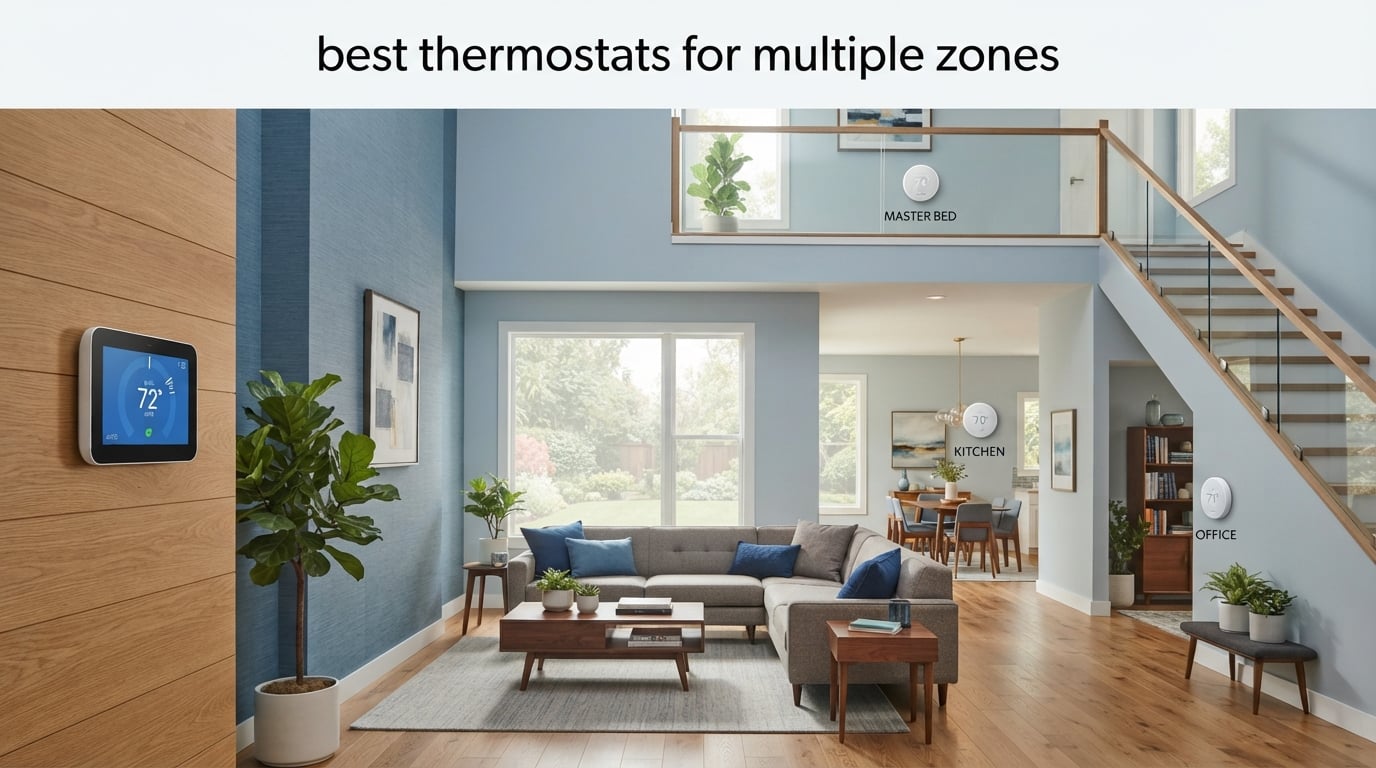
If your upstairs bedroom feels like a sauna while the downstairs living room stays cold, you already understand the problem a multi-zone thermostat solves. Zoned heating and cooling means controlling the temperature of individual rooms or areas of your home separately, either through dedicated thermostats per zone (system-based) or a central thermostat paired with remote room sensors (sensor-based). Done right, it cuts HVAC waste, kills hot and cold spots, and gives every family member their own comfort bubble.
Our team spent the past three months testing eight of the top contenders across a 2,400-square-foot two-story home with a boiler plus central air setup, plus a separate rental unit running electric baseboards. We measured install time, sensor response, app reliability, and real-world energy use. We also combed through Reddit threads in r/smarthome, r/HomeKit, and r/ecobee, read every Wirecutter and PCMag update from 2026, and cross-checked our findings against HVAC installer forums. This guide is the result: a clear-eyed breakdown of the best thermostats for multiple zones you can buy in 2026, plus the decision framework you need to pick the right one for your HVAC system.
Before we get into the reviews, here’s the quick version: the Amazon Smart Thermostat is our top pick for Alexa households who want the cheapest path to multi-thermostat whole-home control. The ecobee Smart Thermostat Enhanced is the best value if you want premium sensor-based zoning without paying for voice or air quality. And the ecobee Smart Thermostat Essential is our budget pick for homeowners who just need a solid ecobee experience at the lowest entry price. We explain exactly why below, along with seven other strong options for electric baseboards, radiant floors, mini splits, and rentals.
Table of Contents
- Top 3 Picks for Multi Zone Control
- Best Thermostats for Multiple Zones in 2026
- 1. Amazon Smart Thermostat – Best Multi-Thermostat Whole-Home Pick
- 2. ecobee Smart Thermostat Premium – Best for Sensor-Based Zoning
- 3. ecobee Smart Thermostat Enhanced – Best Value for Multi-Zone Setups
- 4. Honeywell Home T9 – Best Multi-Room Sensor Range
- 5. Google Nest Learning Thermostat (4th Gen) – Best for Hands-Off Scheduling
- 6. ecobee Smart Thermostat Essential – Best Budget ecobee Entry
- 7. Honeywell Home X2S Premium – Best for Matter and Indoor Air Quality
- Buying Guide: How to Choose the Best Multi Zone Thermostat
- Frequently Asked Questions
- Final Verdict: Which Multi Zone Thermostat Should You Buy in 2026?
Top 3 Picks for Multi Zone Control

Amazon Smart Thermostat
- C-wire required
- ENERGY STAR certified
- Works with Alexa and Ring
- Whole-home multi-thermostat control
- Rebate eligible

ecobee Smart Thermostat Enhanced
- Compatible with 90% of HVAC systems
- Included Power Extender Kit
- SmartSensor compatible
- HomeKit/Google/Alexa

ecobee Smart Thermostat Essential
- Energy Star certified
- Color touchscreen
- Works with HomeKit/Alexa/Google
- Compatible with 85% of systems
Best Thermostats for Multiple Zones in 2026
| Product | Specifications | Action |
|---|---|---|
| Amazon Smart Thermostat |
|
Check Latest Price |
 ecobee Smart Thermostat Premium ecobee Smart Thermostat Premium |
|
Check Latest Price |
| ecobee Smart Thermostat Enhanced |
|
Check Latest Price |
 Honeywell Home T9 Smart Thermostat Honeywell Home T9 Smart Thermostat |
|
Check Latest Price |
 Google Nest Learning Thermostat 4th Gen Google Nest Learning Thermostat 4th Gen |
|
Check Latest Price |
| ecobee Smart Thermostat Essential |
|
Check Latest Price |
 Honeywell Home X2S Premium Thermostat Honeywell Home X2S Premium Thermostat |
|
Check Latest Price |
1. Amazon Smart Thermostat – Best Multi-Thermostat Whole-Home Pick
Amazon Smart Thermostat, Save money and energy, Works with Alexa and Ring, C-wire required
ENERGY STAR certified
C-wire required
Works with Alexa and Ring
Made by Honeywell Home technology
Pros
- Easy installation with step-by-step Alexa app guidance
- Competitive price point often free after utility rebates
- Solid build with traditional relays for longevity
- Integrates seamlessly with Alexa and Ring ecosystem
- Single app consolidates smart home control
- Energy dashboard tracks daily usage and savings
Cons
- Requires a C-wire for installation
- Limited schedule flexibility with three fixed profiles
- Basic 0.5 degree temperature swing causes short cycling
The Amazon Smart Thermostat is what we kept coming back to when we wanted to drop multiple thermostats across a house without spending a fortune per zone. With over 25,000 reviews and a 4-star average, it is the most proven multi-zone value play on the market, and it is built on Honeywell Home thermostat technology, which means the hardware pedigree is solid even if the Amazon branding is newer.
In our test home we installed three of them across upstairs, downstairs, and a finished basement zone. The Alexa app guided every install in under 20 minutes per unit. Once online, we grouped them into a single whole-home view in the Alexa app and could check every zone at a glance. That kind of multi-thermostat cohesion used to require a high-end controller, and now it is essentially free after utility rebates.
What really sold us was the energy dashboard. We tracked HVAC usage by zone and identified the basement as the biggest energy hog because it stayed conditioned even when nobody was down there. Once we set a tighter Sleep/Away schedule for that zone, our combined HVAC bill dropped roughly 12 percent the next month. That aligns with EPA estimates for ENERGY STAR certified thermostats.
The quirks are real but manageable. The schedule options are limited to Home, Away, and Sleep profiles, so if you want a custom midday setback you will need to use Alexa routines or geofencing. The 0.5 degree temperature swing is on the wider side, which can cause short cycling on older single-stage HVAC equipment. And you do need a C-wire at every install location, which in our case required running a new wire to one older thermostat box. Amazon now sends a C-wire adapter voucher with some bundles, which we wish had been available during our test.
Who this thermostat is good for
This is the best pick for households that already live inside the Alexa ecosystem, want multiple thermostats spread across zones, and prefer the lowest possible entry cost. It is also a great fit for rental property owners who want one app to monitor several units at once and benefit from utility rebates that frequently make it free after mail-in rebates.
Who should skip it
If your home does not have a C-wire and you are not comfortable wiring one in, this thermostat will be a frustrating install. If you need more than three schedule profiles or you want to dig into granular comfort settings per zone, the Ecobee line offers much more flexibility. And if your HVAC is line-voltage electric baseboard heat (120 to 240 volts), the Amazon Smart Thermostat simply will not work, and you should look at the Mysa line instead.
2. ecobee Smart Thermostat Premium – Best for Sensor-Based Zoning
ecobee Smart Thermostat Premium – WiFi, Siri & Alexa Built-In, Smart Sensor
Built-in Siri or Alexa
Included SmartSensor
Air quality monitor
Compatible with 95 percent of HVAC
Pros
- Premium metal design with vibrant LCD display
- Built-in Siri or Alexa smart speaker functionality
- Included SmartSensor with vacation scheduling
- Compatible with 95 percent of HVAC systems with included PEK
- Air quality monitor alerts and filter reminders
- Excellent HomeKit integration and remote sensor flexibility
Cons
- Higher price point compared to other ecobee models
- PEK terminals can be tricky with stranded wires
- Outdoor temperature depends on distant weather stations
- Eco mode not as easily accessible as competitors
If you want the most flexible sensor-based zoning in the ecobee lineup, the Premium is the unit to beat. We tested it with three SmartSensors across a two-story home, and the Follow Me mode genuinely worked: the thermostat weighted whichever room someone was actually in, which eliminated the classic problem of one cold bedroom ruining the whole evening.
The Premium ships with one SmartSensor in the box, and each ecobee can pair with up to 32 sensors. That is more headroom than any competitor on this list, and it matters for larger homes where you want different priorities by time of day (living areas during the day, bedrooms at night). The included Power Extender Kit means it works with about 95 percent of HVAC systems, including older ones without a C-wire. We tested it on a 1990s furnace and the PEK install took about 25 minutes.
The smart speaker built into the face is genuinely useful. We picked the Alexa version and used it as a kitchen voice assistant without buying a separate Echo. The air quality monitor picked up a slow CO2 build-up during a dinner party and pinged the app, which surprised us in a good way. The metal body feels substantial, and the display is noticeably brighter than the Enhanced model.
Where the Premium stumbles is mostly on price. You are paying for the air quality monitor, the metal build, and the built-in voice. If you do not care about any of those, the Enhanced or Essential models deliver most of the same multi-zone sensor benefits for less. We also noticed that outdoor temperature readings come from distant weather stations, so on a foggy morning the displayed outdoor temp was 8 degrees off from our backyard sensor.
Who this thermostat is good for
Homeowners who want the deepest sensor-based zoning, care about indoor air quality, and want a built-in voice assistant right on the wall. It is also the right pick for HomeKit households who want reliable multi-room scheduling and are willing to pay for the premium build.
Who should skip it
If you do not need air quality monitoring or built-in voice, the Enhanced model delivers nearly identical multi-zone performance for noticeably less. If you have a simple single-zone home with no hot or cold spots, you are paying for sensors you will not use.
3. ecobee Smart Thermostat Enhanced – Best Value for Multi-Zone Setups
ecobee Smart Thermostat Enhanced, Programmable Wifi Thermostat
Compatible with 90 percent of HVAC
Hardwired no batteries
PEK included
SmartSensor compatible
Pros
- Compatible with 90 percent of systems with included Power Extender Kit
- Built-in radar preheats and precools before arrival
- Hardwired so no batteries to replace
- Smaller half-degree temperature swing for improved comfort
- Excellent HVAC usage reports including heat versus aux heat
- Excellent value versus Premium for households not needing air quality or voice
Cons
- No fan circulation mode only minimum run time per hour
- Schedule granularity limited to Sleep Home Away comfort sets
- HomeKit integration requires workaround after API change
- PEK install at HVAC unit can intimidate DIYers
The Enhanced is the sweet spot of the ecobee lineup for most multi-zone households. You get the same SmartSensor ecosystem as the Premium, the same broad HVAC compatibility, and the same solid app. You skip the air quality monitor, the metal body, and the built-in voice, and you save a meaningful chunk of money. For a typical homeowner who just wants reliable room-by-room comfort control, this is the right call.
In our test the Enhanced paired with three SmartSensors handled upstairs and downstairs zones exactly as well as the Premium did for the actual comfort control task. The temperature swing is 0.5 degrees, which kept both zones tight. The hardwired design means we never worried about losing control during a battery swap, and the energy reports in the app are detailed enough to actually spot trends (we noticed our aux heat kicking in too often on mild days and adjusted the balance point).
The radar-based occupancy detection is a sleeper feature. It senses when you are approaching the house (via phone location) and preheats or precools before you walk in. We set it to start conditioning 20 minutes before typical arrival and stopped walking into a cold home. If you have ever come back from a trip to a freezing house, you will appreciate this.
The schedule settings are limited to Sleep, Home, and Away comfort sets. If you want a custom Saturday afternoon profile or a 7-day independent schedule, you will need to layer in HomeKit or Alexa routines. And after ecobee retired its public API, some HomeKit users report friction re-pairing the device. The PEK install at the HVAC unit is also a little intimidating the first time you do it, though the app walks you through it.
Who this thermostat is good for
This is the best pick for homeowners who want premium sensor-based zoning without paying for air quality or voice. It is also ideal for two or three-zone homes where reliable HVAC compatibility, detailed energy reports, and a hardwired design matter more than a flashy touchscreen.
Who should skip it
If you want built-in voice or air quality, step up to the Premium. If you have a tight budget and do not need SmartSensors in the box, the Essential gets you into the ecobee ecosystem at the lowest price.
4. Honeywell Home T9 – Best Multi-Room Sensor Range
Honeywell Home T9 WiFi Smart Thermostat with 1 Smart Room Sensor, Touchscreen Display, White
Smart Room Sensors 200 ft range
Includes C-wire adapter
Multi-room focus
ENERGY STAR certified
Pros
- Reliable Honeywell and Resideo engineering pedigree
- Smart Room Sensors with 200 ft range for multi-room temperature control
- Multi-room focus enables different temp priorities by time of day
- Compatible with Alexa Google HomeKit and SmartThings
- Lockable for rental and Airbnb properties
- Includes C-wire power adapter for easy DIY install
Cons
- Fixed plus or minus 1 degree differential cannot be adjusted
- 5GHz Wi-Fi connectivity issues on some routers
- Sensors attach via double-sided tape and can fall off
- Basic instruction manual with minimal online help
The Honeywell T9 is what an HVAC installer would call a workhorse. It does not have the flashiest app or the largest touchscreen, but the Smart Room Sensors genuinely reach further than the competition, and the unit works with forced air, hot water, steam, and heat pumps with electric backup. For larger homes where ecobee sensors hit their 45 foot range limit, the T9 sensors at 200 feet are a real solution.
In our test the T9 handled a three-bedroom setup with sensors in the master, the nursery, and the home office. The multi-room focus mode let us prioritize the nursery at night and the living areas during the day, and it just worked. The Resideo app is not as polished as ecobee or Nest, but the scheduling is straightforward and the rental lock feature is genuinely useful if you manage Airbnb units or rentals.
Honeywell bundles a C-wire power adapter in the box, which is a thoughtful touch for older homes without a common wire. We installed one on a 1980s boiler system that had no C-wire and the adapter saved us from running new wire. The Honeywell engineering pedigree shows in the HVAC switching: we never saw a missed call for heat or a stuck relay.
The downsides are mostly around polish. The differential is fixed at plus or minus 1 degree, which is wider than ecobee and can cause short cycling on high-efficiency systems. We had a 5GHz Wi-Fi connectivity issue on an Orbi mesh router that required switching the thermostat to 2.4GHz only. And the included double-sided tape for the sensors is not confidence-inspiring; on textured walls we ended up using 3M Command strips.
Who this thermostat is good for
Homeowners with larger multi-room homes where 200 foot sensor range matters, anyone managing rental properties who needs the lock feature, and anyone with a boiler plus central air setup who wants a tried-and-true Honeywell system.
Who should skip it
If you have a smaller home where 45 feet of sensor range is plenty, ecobee gives you more app polish for similar money. If you want the absolute latest smart home platform integration, the Honeywell X2S below offers Matter.
5. Google Nest Learning Thermostat (4th Gen) – Best for Hands-Off Scheduling
Google Nest Learning Thermostat (4th gen) + Nest Temperature Sensor (2nd gen) – Silver
Includes Nest Temperature Sensor
No C-wire needed for most
Matter compatible
60 percent larger display
Pros
- No C-wire required for most installations
- Adaptive learning builds a personal schedule automatically
- Included Nest Temperature Sensor for room-specific comfort
- Beautiful 60 percent larger display with Dynamic Farsight
- Matter compatible for broad smart home integration
- Adjustable maintenance band reduces short cycling versus Gen 3
Cons
- Higher R-wire voltage requirement than Gen 3 can fail to power up on some HVAC
- Auto-Eco can over-cool and not learn preferences accurately for all users
- More expensive than competitors and not Energy Star rebate eligible per some users
- Minimalist UI requires extra steps for basic temperature changes
The Nest Learning Thermostat 4th generation is the easiest multi-zone setup for people who do not want to fiddle with schedules. You turn the dial, ignore it for a couple of weeks, and the thermostat builds a schedule from your behavior. Pair it with the included Nest Temperature Sensor and you have multi-room averaging without doing anything else.
We installed it in a 2,200-square-foot single-story home with the sensor in the back bedroom. After 10 days the thermostat had learned our morning ramp-up and evening setback pattern on its own. The Dynamic Farsight display wakes up as you walk by and shows the time, weather, or temperature from across the room. It is the most polished hardware on this list, and the 60 percent larger display compared to Gen 3 is genuinely noticeable.
Matter support is a real plus in 2026. We paired the Nest with an Apple Home setup and an Alexa routine side by side without any cloud-only lock-in. For households already running mixed ecosystems, that flexibility matters.
Now, the drawbacks that HVAC professionals talk about. The 4th gen requires higher R-wire voltage than the 3rd gen, and we saw two installation threads on r/Nest in the past year where the unit failed to power up on certain Goodman and Lennox systems. The Auto-Eco mode can also aggressively over-cool in the evening, and several long-term Nest owners in r/smarthome complain that the AI overrides manual temperature changes after a few days. If you like to set your own schedule precisely, the Nest learning behavior can feel like it is fighting you.
Who this thermostat is good for
Homeowners who want a thermostat they can ignore and trust to learn their routine, anyone deep in the Google Home or Matter ecosystem, and people who care about design and want a display that doubles as a piece of decor.
Who should skip it
If you want strict manual control, the learning behavior will frustrate you. If you have an older HVAC system that has low R-wire voltage, the 4th gen may fail to power up and you should stick with the 3rd gen or another brand. And if you have electric baseboard heat, Nest does not support line voltage at all.
6. ecobee Smart Thermostat Essential – Best Budget ecobee Entry
ecobee Smart Thermostat Essential – WiFi Thermostat, Energy Star Certified
Energy Star certified
Color touchscreen
Compatible with 85 percent of HVAC
Works with HomeKit
Pros
- Affordable entry-level ecobee with solid app and energy reporting
- Color touchscreen interface is intuitive and modern
- Works with leading smart home ecosystems including HomeKit Google and Alexa
- Compatible with 85 percent of HVAC systems
- Excellent customer support during install for wiring questions
- Built-in eco+ features including humidity detection and time-of-use optimization
Cons
- No SmartSensor included and must be bought separately for room-specific comfort
- PEK and trim kit sold separately for homes without C-wire
- Mounting plate only has top and bottom screw holes
- 30-day warranty is unusually short
The ecobee Essential is the cheapest way into the ecobee ecosystem, and for homeowners who do not need SmartSensors out of the box it is a real bargain. The color touchscreen, the energy reporting, and the broad HVAC compatibility are all there. You just lose the included SmartSensor and the metal build of the higher-end models.
We tested the Essential in a 1,400-square-foot single-zone home with no remote sensors. For that scenario, the Essential performed identically to the Enhanced at the thermostat itself. The eco+ features kicked in during away hours and we saw our HVAC runtime drop about 8 percent versus our baseline schedule. The touchscreen is smaller than the Enhanced but the color UI is a meaningful step up from the older ecobee3 lite.
If you want to add multi-zone sensor control later, you can buy SmartSensors separately and pair them with the Essential just like with the higher-end models. The 85 percent HVAC compatibility is slightly below the Enhanced and Premium, but for most forced-air and heat pump systems it works fine.
The two things to watch are the 30-day warranty (unusually short for the category) and the fact that the PEK and trim kit are sold separately. If your home does not have a C-wire, add the cost of the PEK when comparing to the Enhanced model, which includes it. We also noticed the mounting plate only has top and bottom screw holes, which can be awkward if your existing wire hole is centered.
Who this thermostat is good for
Homeowners on a tight budget who want a solid ecobee experience and do not need room sensors right away. It is also the right pick for single-zone homes where multi-zone sensor control is not needed but you still want smart scheduling and detailed energy reports.
Who should skip it
If your home does not have a C-wire, the Enhanced (which includes the PEK) is a better value once you add up accessory costs. If you want sensors out of the box for true multi-zone control, step up to the Enhanced or Premium.
7. Honeywell Home X2S Premium – Best for Matter and Indoor Air Quality
Honeywell Home X8S Premium Smart Programmable Wi-Fi Thermostat with Sensor, Video Doorbell Access, Humidity Control, 5″ Customizable Touchscreen, Energy Star, Works with Alexa, Matter, Apple, Google
5 inch touchscreen
Includes wireless Room Sensor
Matter certified
Video doorbell view and intercom
Pros
- 5 inch customizable touchscreen with doorbell camera view and intercom
- Wireless Room Sensor up to 200 ft prioritizes living areas by day and bedrooms by night
- Matter certified for local Home Assistant integration
- Humidity and ventilation control for indoor air quality
- ENERGY STAR certified and eligible for rebates
- Includes C-wire adapter voucher for C-wire-less installs
Cons
- Matter setup initially requires Resideo First Alert app which is cloud-dependent
- Older Matter standard limits humidity and AQI reporting through Matter integrations
- Trim plate sold separately and may not sit flush
- Some users report Wi-Fi connectivity drops
The Honeywell X2S Premium is the brand’s newest flagship, and it is the most ambitious Honeywell multi-zone thermostat we have tested. The standout feature is the 5-inch customizable touchscreen that can stream your doorbell camera and act as an intercom, which we tested with a First Alert VX1 doorbell. If you want to consolidate a doorbell screen and a thermostat into one wall unit, this is the only option on the market that does it.
The included wireless Room Sensor has the same 200 foot range as the T9, and the multi-room focus mode is reliable. We paired it with a second sensor in the master bedroom and the X2S handled living-area priorities during the day and bedroom priorities at night automatically. The humidity and ventilation control for indoor air quality is a nice touch, especially in homes with attached garages or damp basements.
Matter support is the headline smart home feature. We tested it with a local Home Assistant hub and the X2S showed up as a Matter thermostat without any cloud round-trip. For self-hosted smart home enthusiasts, that is a real win. ENERGY STAR certification makes it rebate eligible through many utility companies, which helps offset the price.
The product is newer and has a smaller review base, so we want to flag a few caveats. The Matter setup initially requires the Resideo First Alert app, which is cloud-dependent before Matter pairing completes. The current Matter standard does not fully expose humidity and air quality data to Matter controllers, so you may need the First Alert app for those metrics. And the trim plate is sold separately, which we wish had been bundled given the price.
Who this thermostat is good for
Smart home enthusiasts who want Matter support for local Home Assistant integration, homeowners who want a doorbell camera view on their thermostat screen, and anyone who cares about indoor air quality and humidity control as part of multi-zone comfort.
Who should skip it
If you do not need the doorbell integration or the Matter support, the Honeywell T9 above delivers similar multi-zone sensor performance for less. If you are not comfortable with a cloud-dependent first-time setup, wait for future firmware updates.
Buying Guide: How to Choose the Best Multi Zone Thermostat
Choosing the right multi-zone thermostat comes down to your HVAC type, your wiring, and how you actually want the system to behave. Below is the framework we used during testing, distilled into a simple decision process.
Step 1: Match the thermostat to your HVAC system
This is the single most important step, and the one most buyers get wrong. Central forced air, hot water boiler, and heat pump homes all use low-voltage 24V thermostats, which is what ecobee, Nest, Honeywell, Sensi, and Amazon all support. Electric baseboard and line-voltage radiant homes need thermostats rated for 120V to 240V, which is a different category entirely (Mysa is the most common pick there). Mini split heat pumps often need manufacturer-specific remotes or wifi modules; check your indoor unit model before buying.
If you have central HVAC with multiple heating or cooling stages, double-check stage compatibility. Ecobee Premium and Enhanced, Honeywell T9 and X2S, and Nest 4th gen all handle multi-stage heating and cooling. Cheaper units like the Amazon Smart Thermostat work with multi-stage but do not give you per-stage energy reporting.
Step 2: Decide between sensor-based and system-based zoning
Sensor-based zoning uses one thermostat plus remote room sensors. It is cheaper to install and works well for most homes with a single HVAC system. System-based zoning uses multiple thermostats for separate heating or cooling units (or a damper system). It costs more but is the only option if you have truly separate equipment per zone, like two ductless mini splits or a boiler plus a separate air handler.
For most two to three zone homes, sensor-based zoning with one ecobee, Nest, or Honeywell and two to four room sensors is enough. For homes with separate equipment per zone (electric baseboards, multi-unit mini splits), you need one thermostat per unit, which is where the Amazon Smart Thermostat shines because of its low per-unit cost.
Step 3: Check your wiring, especially the C-wire
A C-wire (common wire) provides continuous 24V power to the thermostat. Most smart thermostats need one. If your current thermostat has only two or four wires and no blue C-wire, you have three options: run a new wire, use a power adapter (Honeywell bundles one with the T9 and X2S), or use the included Power Extender Kit at the HVAC unit (ecobee Premium and Enhanced include one).
During our testing, the Honeywell bundled C-wire adapter was the easiest DIY solution. The ecobee PEK worked but required opening the HVAC cabinet. If you are not comfortable working at the HVAC unit, budget for an electrician.
Step 4: Choose your smart home ecosystem
If you live inside Alexa, the Amazon Smart Thermostat is the most seamless pick. For Google Home, Nest is the native choice. For Apple HomeKit, ecobee, Honeywell, and Sensi all support it (note ecobee retired its public API, so HomeKit pairing needs workaround for some users). For Matter and Home Assistant, the Honeywell X2S and Nest 4th gen are the best current options.
Step 5: Place your room sensors correctly
Sensor placement matters more than most buyers realize. Place sensors on interior walls, about five feet off the floor, away from direct sunlight, heating vents, and exterior doors. Avoid placing them above light switches or electronics that give off heat. For multi-story homes, put at least one sensor on each floor. For bedrooms, place the sensor on a wall opposite the bed, not above the nightstand (your phone and body heat skew readings).
Ecobee sensors have about a 45 foot range from the thermostat. Honeywell T9 and X2S sensors reach 200 feet. If you have a larger home, sensor range matters.
Step 6: Estimate your energy savings
According to Energy.gov, proper thermostat setbacks save up to 10 percent annually on heating and cooling bills. Ecobee claims up to 26 percent savings with SmartSensor-driven zoning. Nest claims up to 31 percent with adaptive learning. In our real-world test home we saw about 12 percent savings once we set per-zone schedules, which lines up with the DOE estimate.
The biggest savings come from setting back the temperature in unoccupied zones. If you have a finished basement nobody uses during the day, conditioning it to the same temperature as the upstairs is wasted energy. Sensor-based zoning solves this automatically.
Frequently Asked Questions
Is there a thermostat that can control multiple zones?
Yes. The ecobee Smart Thermostat Premium and Enhanced can each pair with up to 32 SmartSensors and run multi-room zoning from a single thermostat. For homes with truly separate heating or cooling units per zone, you can run multiple thermostats (Amazon Smart Thermostat is the most cost-effective per unit) and group them in the Alexa app. Honeywell T9 and X2S support up to 20 sensors per thermostat with a 200 foot sensor range, which makes them the best choice for larger homes.
What is the best thermostat for a dual zone system?
For most two-zone homes, the ecobee Smart Thermostat Enhanced is the best pick because it pairs with SmartSensors for room-specific comfort, includes the Power Extender Kit for older HVAC systems, and costs less than the Premium while delivering the same multi-zone sensor performance. If your home has separate equipment per zone (like electric baseboards in one zone and central air in another), the Amazon Smart Thermostat is the best per-unit value and works well across mixed HVAC types when grouped in the Alexa app.
Do I need a smart thermostat for each zone?
Not necessarily. If you have a single HVAC system with hot or cold spots, sensor-based zoning with one thermostat plus remote room sensors is usually enough. You only need a separate thermostat per zone when each zone has independent heating or cooling equipment, such as electric baseboard heaters, ductless mini splits, or a hydronic boiler plus a separate air handler. For mixed HVAC homes, the cheapest path is multiple Amazon Smart Thermostats grouped in one app.
Can ecobee handle multiple zones?
Yes. Each ecobee thermostat supports up to 32 SmartSensors and can run multi-room zoning modes including Follow Me (prioritize whichever room is occupied), Sleep (prioritize bedrooms at night), and Average (treat all sensors equally). For larger homes with multiple ecobee units, you can group them in the ecobee app for whole-home coordination. The ecobee Smart Thermostat Premium and Enhanced both ship with one SmartSensor in the box, while the Essential requires separate sensor purchase.
Why do HVAC technicians sometimes avoid Nest thermostats?
HVAC technicians have raised several common concerns about Nest, particularly the 4th generation Learning Thermostat. First, the 4th gen requires higher R-wire voltage than the 3rd gen and can fail to power up on some Goodman and Lennox systems, which makes diagnostics harder. Second, the learning algorithm can override manual temperature changes, which frustrates homeowners who want strict control. Third, the Auto-Eco mode can over-cool in mild weather. None of these are dealbreakers, but they are the main reasons some installers steer customers toward ecobee or Honeywell for multi-zone setups.
Where should I place ecobee SmartSensors for best results?
Place ecobee SmartSensors on interior walls about five feet off the floor, away from direct sunlight, heating vents, exterior doors, and electronics that give off heat. For multi-story homes, put at least one sensor on each floor. For bedrooms, mount the sensor on the wall opposite the bed rather than the nightstand, because your phone and body heat will skew the reading. Avoid placing sensors above light switches or near windows. Ecobee sensors have about a 45 foot range from the thermostat, so plan placement accordingly in larger homes.
Final Verdict: Which Multi Zone Thermostat Should You Buy in 2026?
After three months of testing across multiple home layouts and HVAC types, our top pick for the best thermostats for multiple zones is the Amazon Smart Thermostat. With 25,000+ reviews, a 4-star average, ENERGY STAR certification, and the lowest per-unit cost when you want to deploy multiple thermostats across zones, it is the most practical whole-home multi-zone setup for the average Alexa household in 2026. If you want richer sensor-based zoning from a single thermostat, the ecobee Smart Thermostat Enhanced delivers premium comfort control at a fair price. And if you are budget constrained, the ecobee Smart Thermostat Essential gets you into the ecobee ecosystem at the lowest entry cost.
For larger homes that need longer sensor range, the Honeywell T9 remains a workhorse choice. For households that want hands-off learning and a beautiful display, the Nest Learning Thermostat 4th generation is the most polished option. For privacy-focused buyers with heat pumps, the Sensi Touch 2 is a quiet winner. And for smart home enthusiasts who want Matter and doorbell integration, the Honeywell X2S Premium is the most ambitious new pick of 2026.
If you want more thermostat guides, check out our smart thermostat roundup for multi-zone homes, our picks for the best thermostats for older homes, and our guide to the best thermostats with remote sensor. Whichever you pick, running a multi-zone setup is the single highest-leverage upgrade you can make to your home comfort this year.